1.2.3. Operations history & Model objects
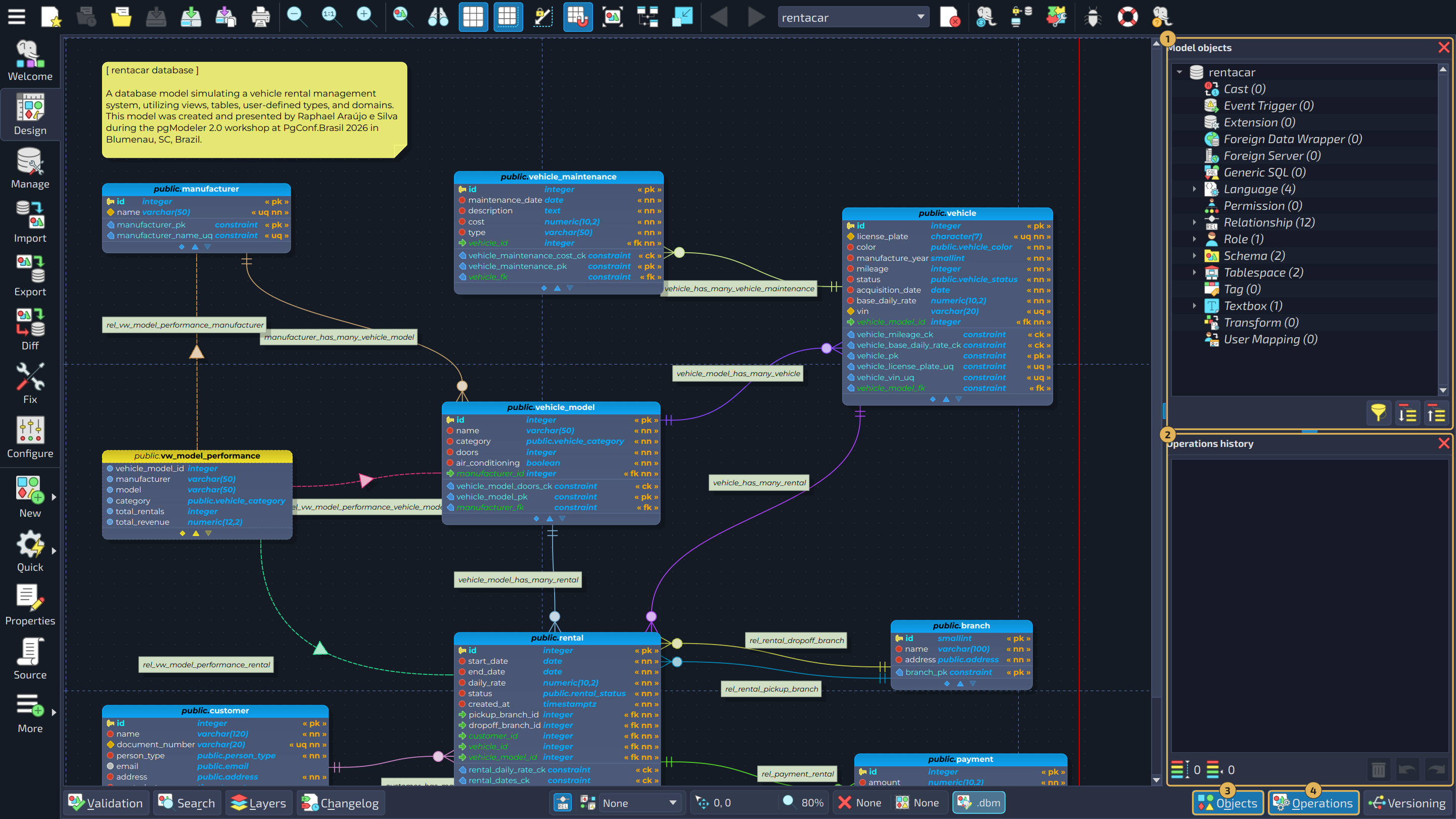
To maintain a limited history of modifications performed over the model, pgModeler implements the operations history widget (at the bottom right portion in the image below). Through this widget, the user can visualize the details of each operation executed over one or more objects, control which operation must be undone or redone, via actions  and
and  , as well as clear the whole history with the action
  , to start over. The storage capacity of the history can be customized, but bear in mind that the bigger the number of supported entries, the bigger the consumed memory, which can negatively affect the overall tool's performance.
Another useful tool is the model objects tree widget (at the top right of the image) which permits the user to see, in a hierarchical listing, all the database model objects. Additionally, it's possible to make modifications to any of those objects by selecting them and activating a context menu.
Both widgets can be toggled using, respectively, the buttons  Operations and
  Objects located at the bottom-right portion of the design view. A complete description and usage of these tools can be seen in Chapter 6: Advanced tools (sections Operations history and Model objects).
In the image below, the model objects widget is marked with 1, the operations history widget with 2, and the buttons that toggle them with 3 and 4.