1.3. Manage view
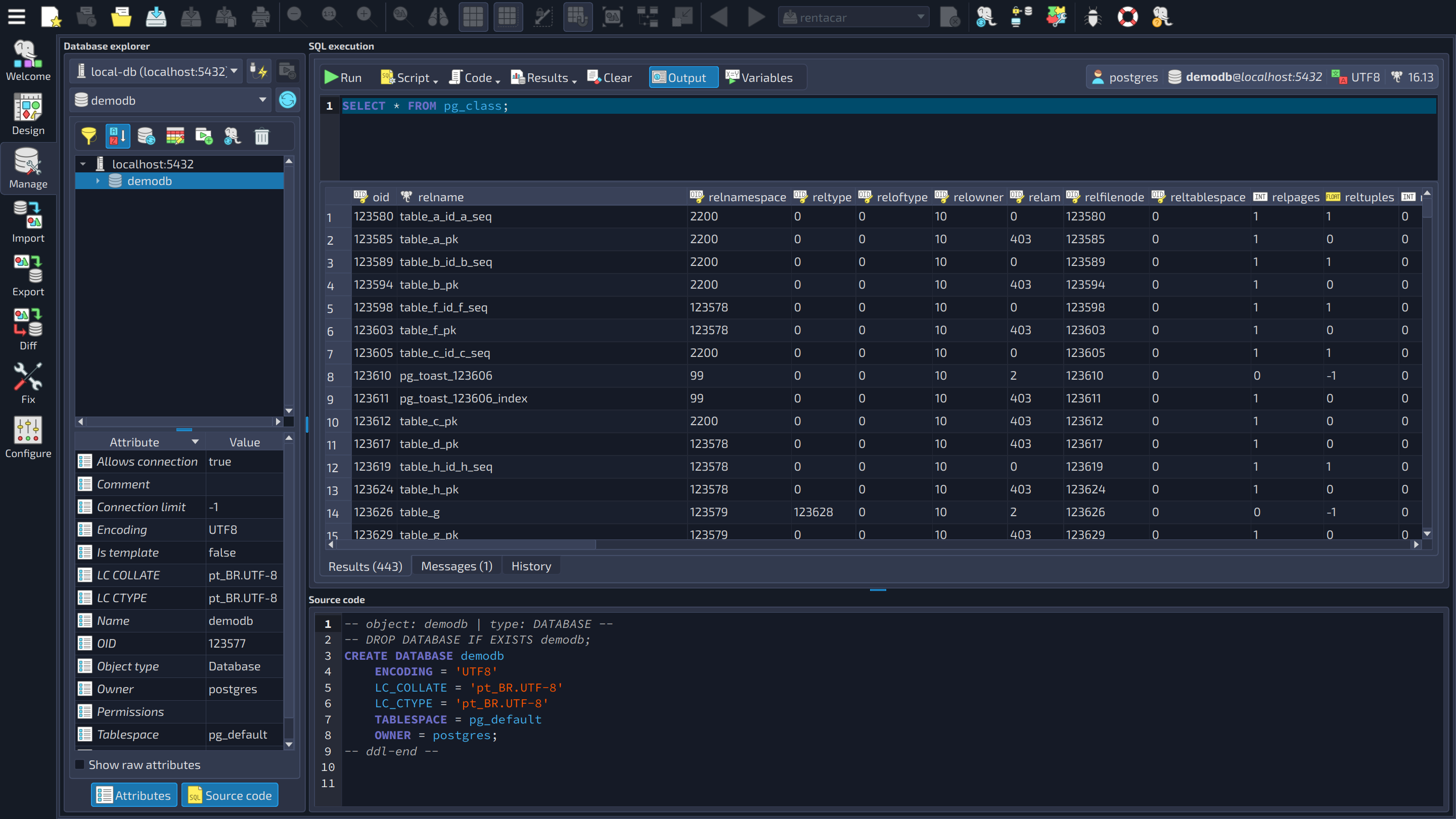
The database management feature in pgModeler has its own section in the main window, and it's called Manage view. It will be fully detailed in the advanced tools chapter, nevertheless, a brief description of each portion of this important component is provided below.
The image below shows a database open in the explorer and the query SELECT * FROM pg_class; executed in the SQL execution section, with the result displayed in the data grid.
 123
123
| Manage view | ||
|---|---|---|
| # | Field | Description |
| 1 | Database explorer | This section enables the user to select previously configured connections to explore the available databases as well as the objects within them. This control is not only for read-only operations: it is possible to drop or rename objects, modify table data, truncate tables, visualize the objects' attributes, and much more. |
| 2 | SQL execution | Enables the user to issue commands to the currently browsed database. Any SQL command can be executed in this section and the results are exposed at the bottom of it, in a data grid. It is also possible to load SQL scripts, export the results of commands to external files, save the current commands to external files, and more. |
| 3 | Source code | Enables the user to quickly visualize the source code of the objects selected in the database explorer (select an object and press |
This concludes the first chapter of this manual. From now on, we will detail the majority of features available in pgModeler, including the ones quickly described in this chapter. In the next chapter, some basic instructions will be given on how to use shortcuts and controls in the design process.