3. Introduction
Before starting to detail the database objects, it's important to know that all objects handled by pgModeler are implemented in conformance to PostgreSQL versions 10.x to 18.x, thus, often in this chapter, the official PostgreSQL documentation will be referenced. This way, if you have any doubt about any field in the forms, you can refer to section SQL commands of the official docs or the link specified in the footnotes of each page here.
It's important to note that it is not the goal of this documentation to describe in full detail all the objects in the database (or their DDL commands), but the way they are created in pgModeler. The following sections are organized by relevancy in such a way that the most commonly used objects will be described first.
Common tabs and fields
All the editing forms share a common base, so some of their parts are the same for every object, or for most of them. They are described only here and are not repeated in the sections of the objects, which detail just what is specific to each one.
General tab: common fields
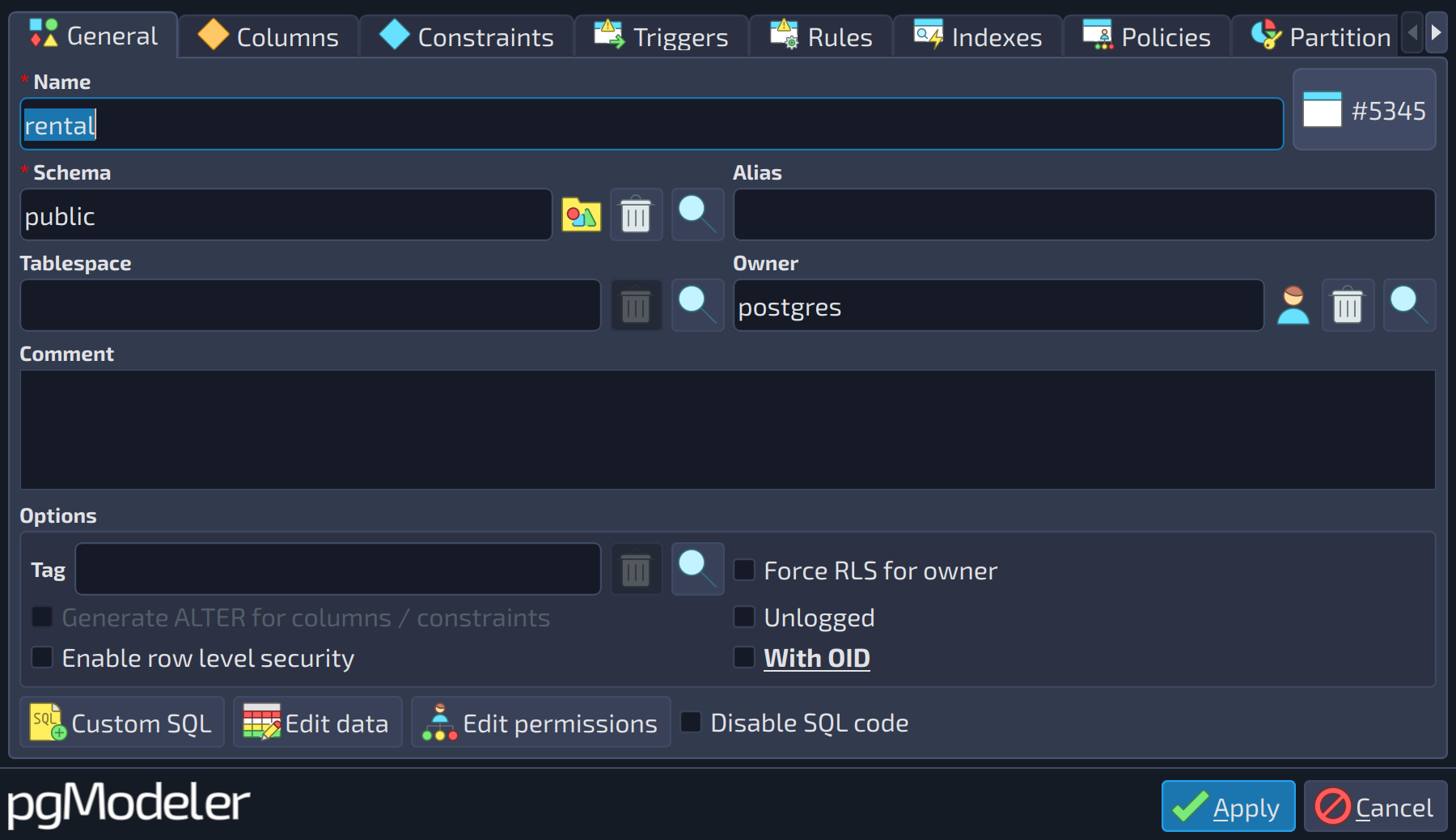
The first tab of the form, General, always starts with a set of fields common to most objects. Not every object has all of them, but the ones it has work in the same way everywhere. The tables of the following sections show only the fields that are specific to each object.
 123456789
| General | ||
|---|---|---|
| # | Field | Description |
| 1 | Name | The name of the object. It follows the PostgreSQL rules for identifiers (up to 63 bytes in a default installation). Leaving it empty raises an error when the form is applied. |
| 2 | Schema | The schema that holds the object. Use the buttons |
| 3 | Alias | A friendlier name for the object. When the model is displayed in the compact view (see the section about the compact view of the model), the alias is shown instead of the name. If the field is empty, the name is always shown. |
| 4 | Tablespace | The tablespace where the data of the object is stored. When empty, the default tablespace of the database is used. |
| 5 | Owner | The role that owns the object. Use the buttons |
| 6 | Comment | A free-form comment about the object, stored in the model and exported as |
| 7 | Custom SQL | Opens the editor of custom SQL commands, which are appended or prepended to the object's SQL definition. |
| 8 | Edit permissions | Opens the permissions editor of the object. |
| 9 | Disable SQL code | Disables the generation of the SQL code of the object (it is generated commented out with |

 beside the field to pick a schema from the model or clear the field.
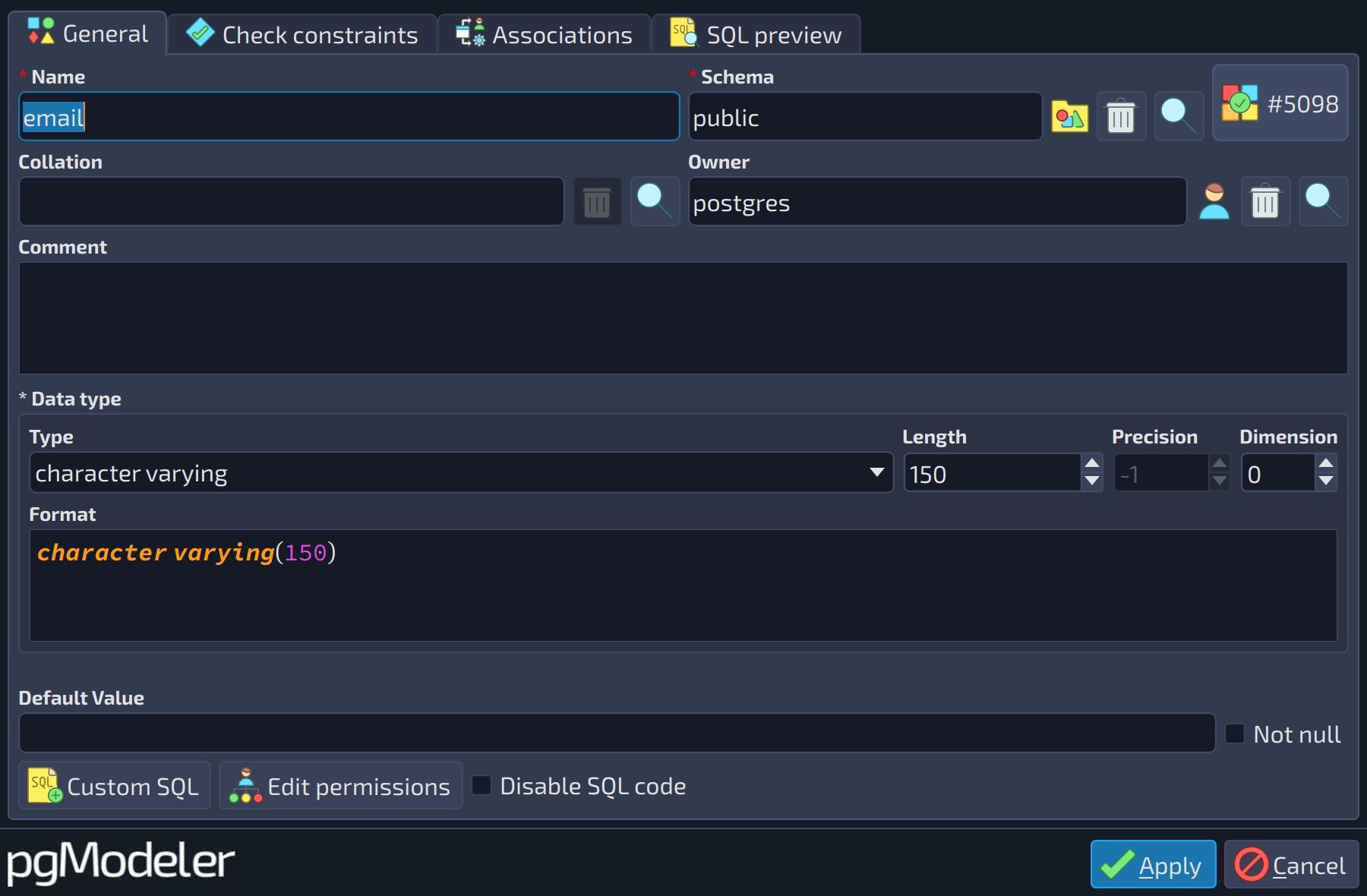
The field Collation, used by the objects that deal with text, works like the selectors above:
 1
1
| General | ||
|---|---|---|
| # | Field | Description |
| 1 | Collation | The collation applied to the object, which overrides the default one. Use the buttons |
The availability of each field depends on the kind of object:
- Name: all objects.
- Alias: tables, foreign tables, views, columns, constraints, indexes, rules, triggers, policies, schemas, and relationships.
- Comment: all objects, except relationships, textboxes, parameters, user mappings, and permissions.
- Schema: the objects that live inside a schema, such as tables, views, functions, procedures, aggregates, operators, operator classes and families, sequences, conversions, collations, domains, types, extensions, and foreign tables.
- Owner: the objects above (except extensions) plus schemas, languages, tablespaces, event triggers, foreign data wrappers, foreign servers, user mappings, and the database itself.
- Tablespace: tables, views, indexes, constraints, and the database.
- Collation: domains, collations, types, and columns.
- Custom SQL: all objects, except columns, constraints, relationships, textboxes, tags, generic SQL objects, and permissions.
- Edit permissions: the objects that accept privileges, such as tables, columns, views, sequences, functions, procedures, aggregates, languages, schemas, tablespaces, domains, types, foreign data wrappers, foreign servers, foreign tables, and the database.
- Disable SQL code: all objects, except textboxes, tags, permissions, and parameters.
When a new object is created, the selectors of schema, owner, tablespace, and collation already come filled with the default objects configured in the database, and the buttons Custom SQL and Edit permissions stay disabled until the object is created (applied) for the first time. The label at the top right corner of the form (# followed by a number) is the ID of the object in the model. If the object is protected, a warning is shown at the top of the form and the changes made are ignored.
Associations tab
The editing form of every object of the model also has the tabs Associations and SQL preview. They are the same everywhere, so they are described here, using the database as an example.
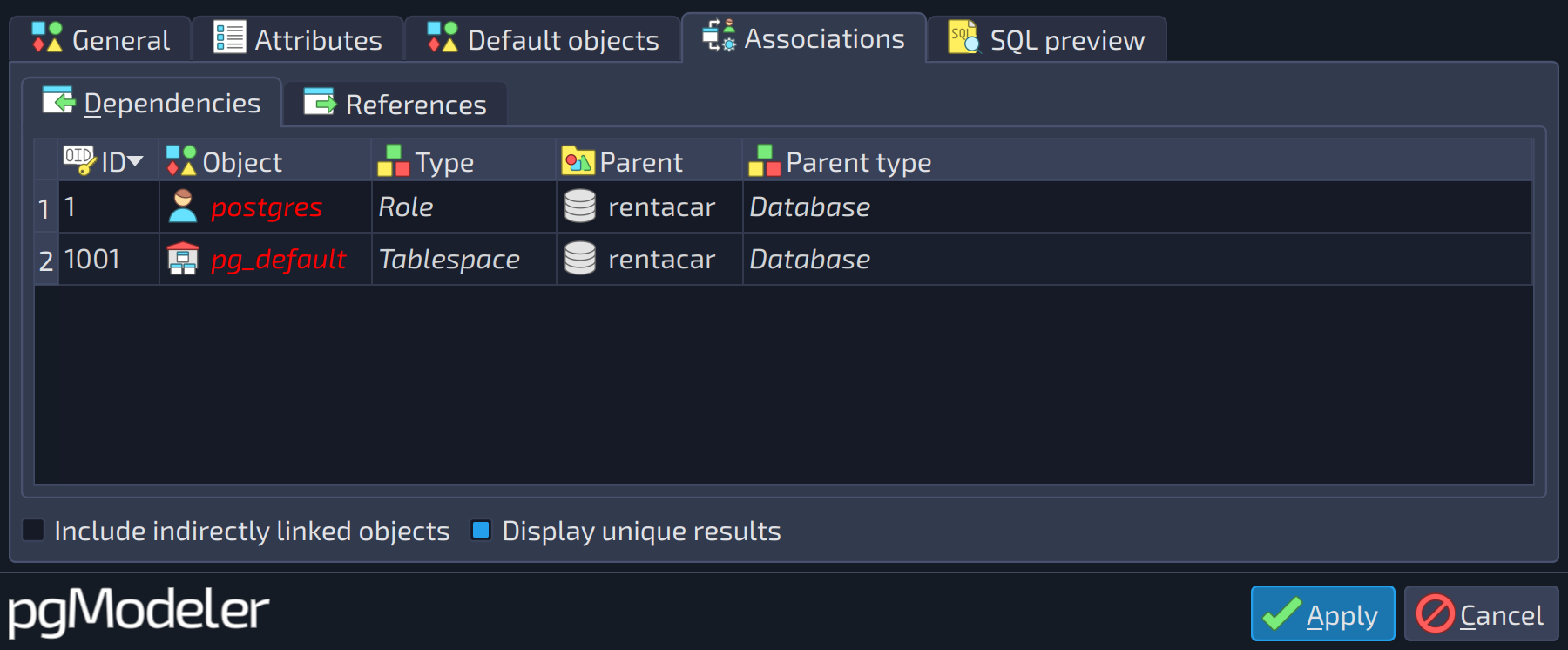
This tab shows the dependency and reference relationships between the object being edited and the other objects of the model, in two lists, each one in its own sub-tab: Dependencies, with the objects the current one needs in order to exist, and References, with the objects that make use of the current one. In the case of the database, the dependencies are its owner role and tablespace, as shown below. Both lists have the same columns (ID, object, type, parent, and parent type) and are controlled by the check boxes below them, which apply to either list.
 12
12
| Associations | ||
|---|---|---|
| # | Field | Description |
| 1 | Include indirectly linked objects | Also lists the objects linked to the current one through other objects (indirect links), not only the ones linked directly. |
| 2 | Display unique results | Hides repeated entries when the same object is reached through more than one path. |
SQL preview tab
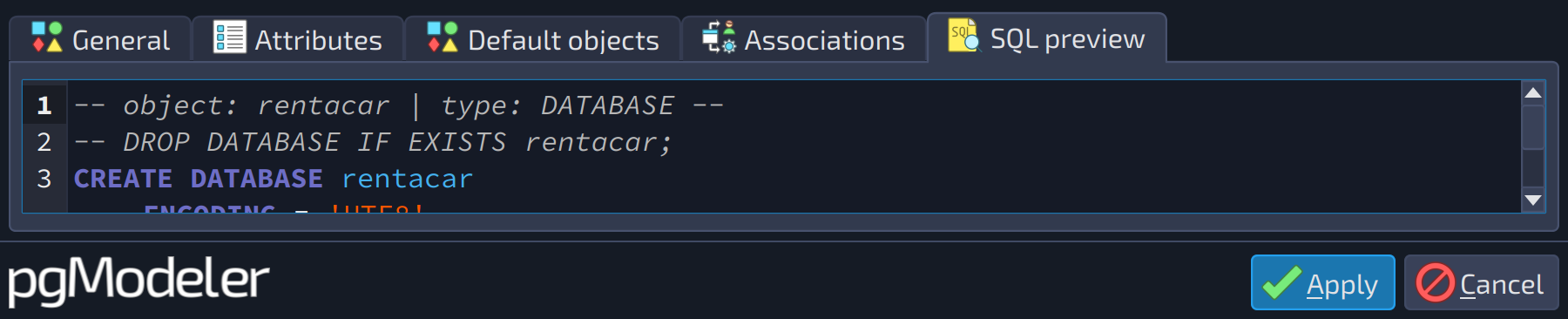
This tab shows the SQL code generated for the object with the values currently set in the form, so the result of any change can be checked before applying it.
 1
1
| SQL preview | ||
|---|---|---|
| # | Field | Description |
| 1 | SQL code | Read-only preview of the SQL code generated for the object with the values currently set in the form. |