3.22. Operators
Operators are one of the most powerful objects implemented by PostgreSQL as an extension of the SQL standards. Despite the enormous set of built-in operators available in a default installation, the user can create custom operators as is done for functions and languages, for instance.
An operator can be unary or binary depending on the arguments specified for it. Moreover, all the logic of this object is stored in a user-defined function. Additionally, operators can be overloaded, meaning that the same operator can handle a different set of data types.
It's quite simple to create an operator, but some rules must be observed to avoid errors. First, operator names should be composed of one or more of the following characters: + - * / < > = ~ ! @ # % ^ & | ` ? as stated by the PostgreSQL documentation. Second, one or two data types must be specified as arguments of the operator. Finally, the function that defines the operator must have a specific signature according to the types of arguments.
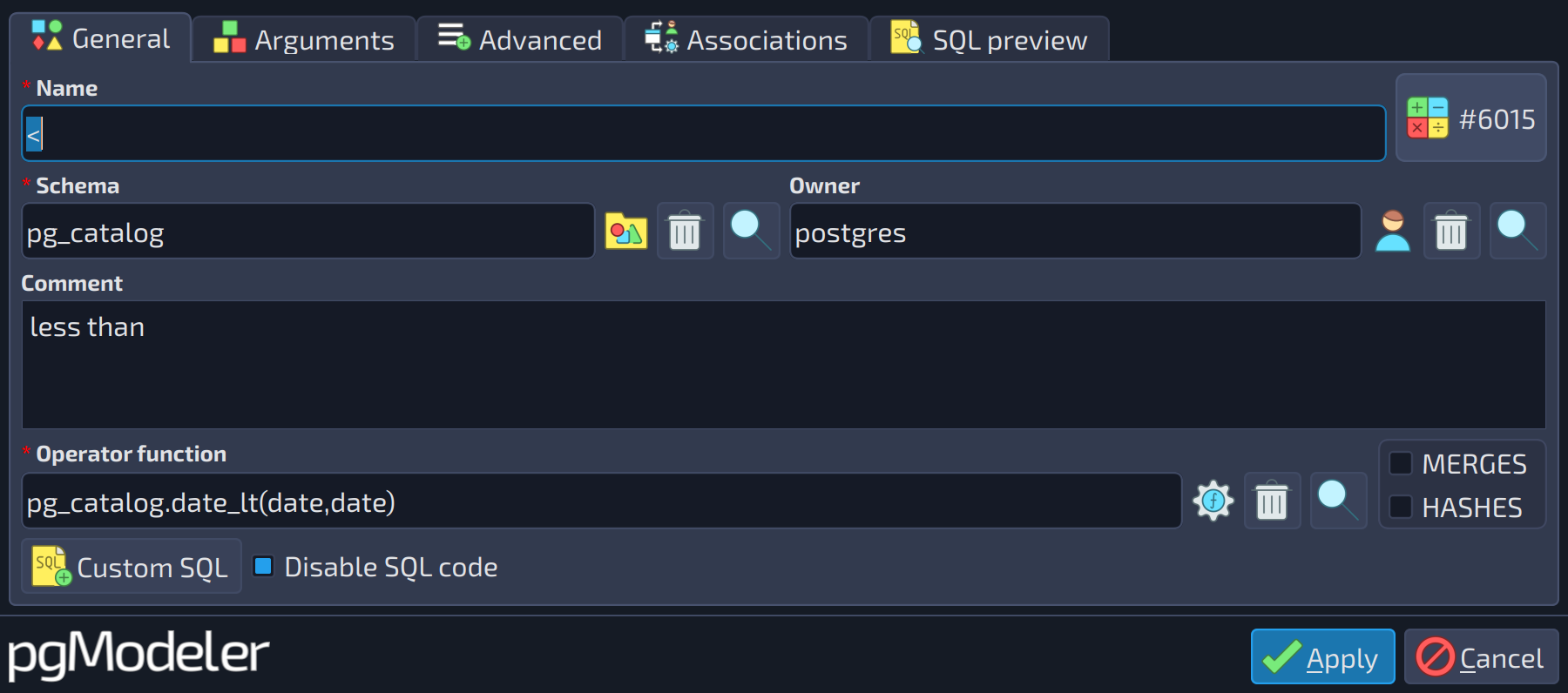 123
123
| General | ||
|---|---|---|
| # | Field | Description |
| 1 | MERGES | Indicates that the operator supports a merge join ( |
| 2 | Operator function | Defines the function that implements the logic of the operator. It must have one or two parameters whose types match the argument types of the operator: |
| 3 | HASHES | Indicates that the operator supports a hash join ( |
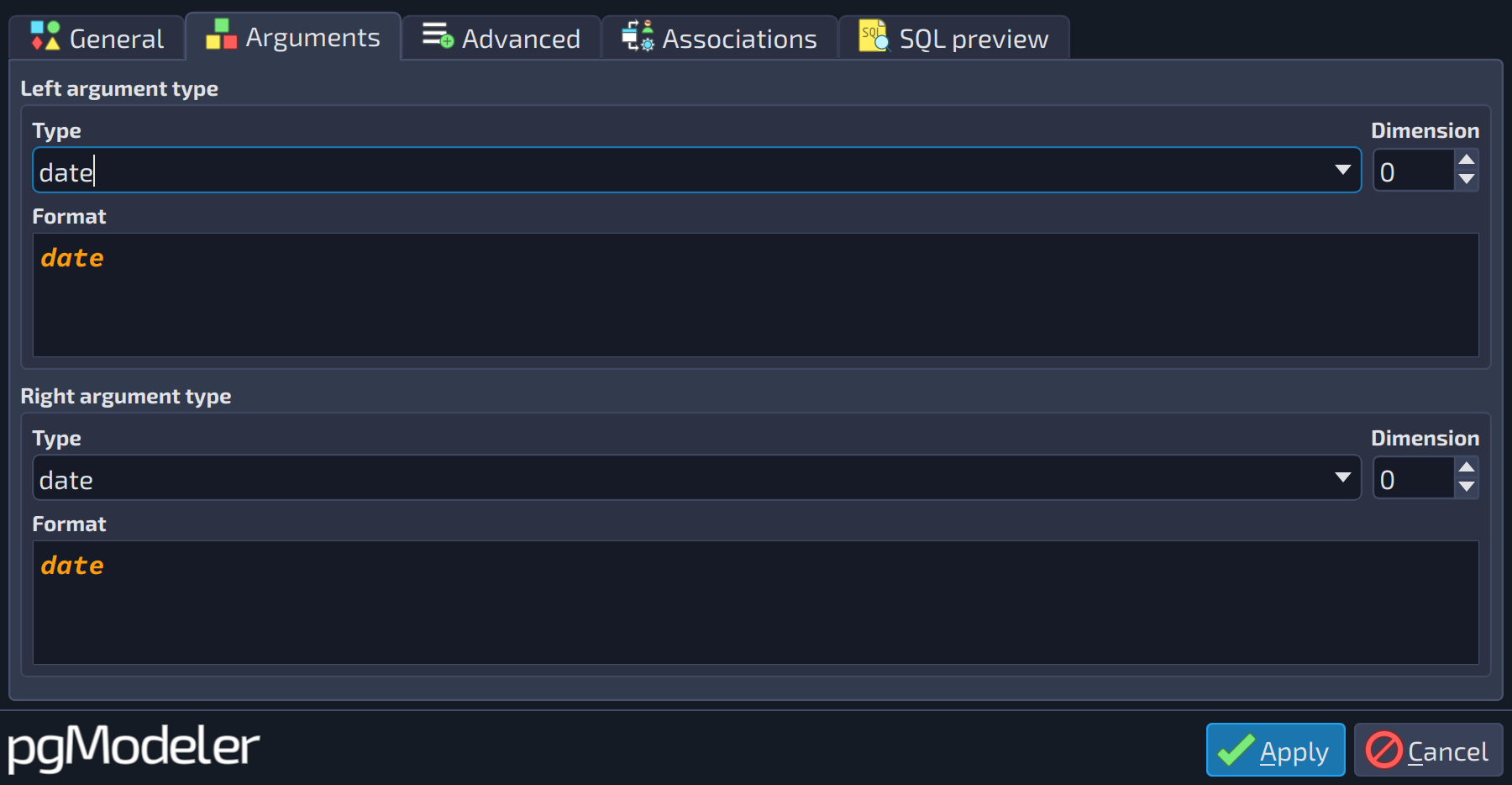 123456
| Arguments | |||
|---|---|---|---|
| # | Field | Group box | Description |
| 1 | Type | Left argument type | The data type of the left argument. If you intend to create a left unary operator, configure this field with the |
| 2 | Dimension | Left argument type | Number of dimensions when the type is an array ( |
| 3 | Format | Left argument type | Read-only preview of the data type as it is written in the SQL code, with length, precision, dimension and other modifiers applied. |
| 4 | Type | Right argument type | The data type of the right argument. If you intend to create a right unary operator, configure this field with the |
| 5 | Dimension | Right argument type | Number of dimensions when the type is an array ( |
| 6 | Format | Right argument type | Read-only preview of the data type as it is written in the SQL code, with length, precision, dimension and other modifiers applied. |
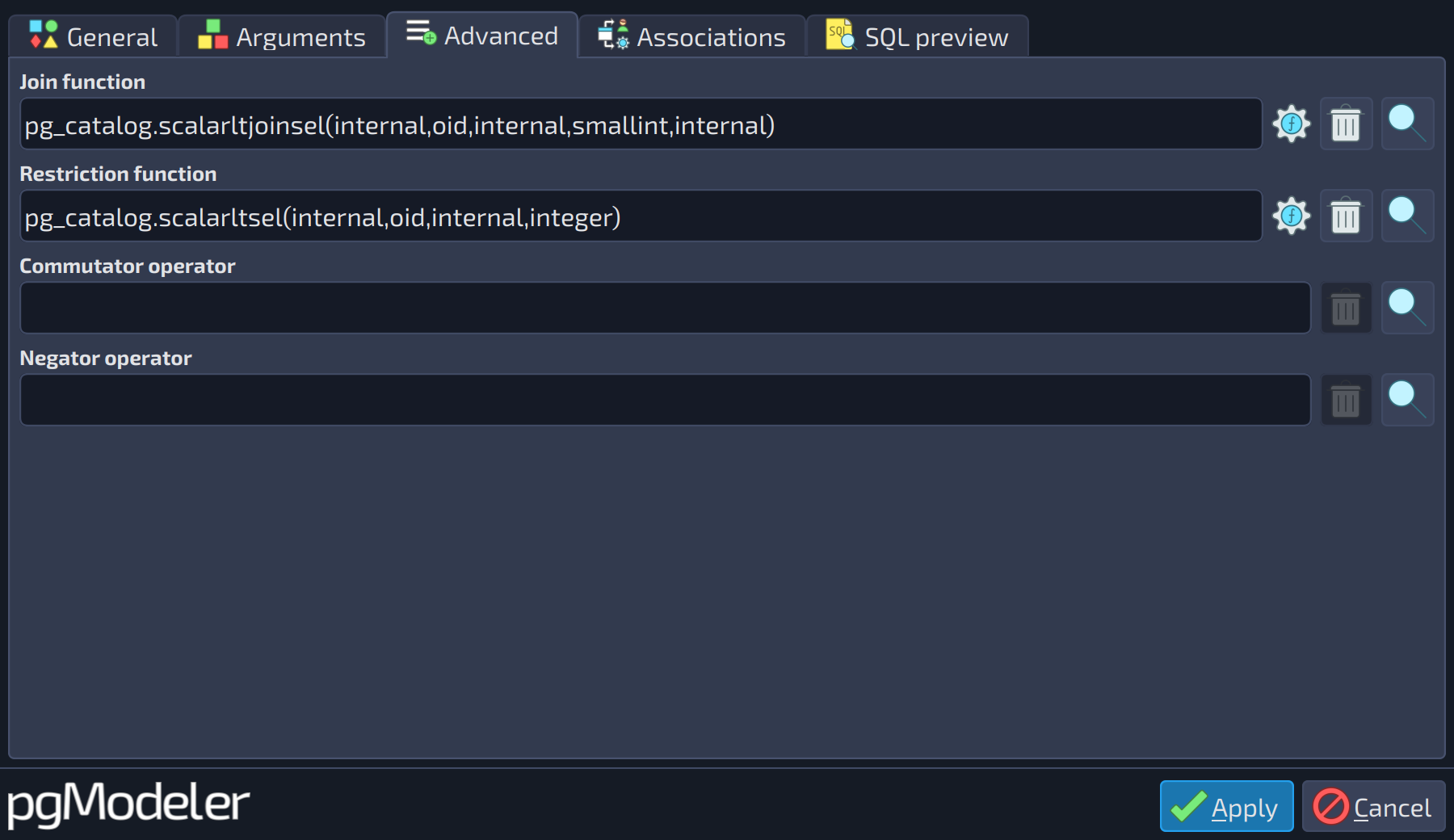 1234
1234
| Advanced | ||
|---|---|---|
| # | Field | Description |
| 1 | Join function | The function used as the join selectivity estimator of the operator. |
| 2 | Restriction function | The function used as the restriction selectivity estimator of the operator. |
| 3 | Commutator operator | A previously defined operator used as the commutator of the operator being configured. |
| 4 | Negator operator | A previously defined operator used as the negator of the operator being configured. |
References
Operator DDL
https://www.postgresql.org/docs/current/static/sql-createoperator.html
Operator Optimization
https://www.postgresql.org/docs/current/static/xoper-optimization.html