3.3.2. Constraints
Constraints are objects that provide data integrity in tables. PostgreSQL implements six different types of constraints, namely: primary keys, foreign keys, unique keys, check, exclude, and not-null. These constraints will be detailed in the next sub-sections. Graphically, in pgModeler database models, for each constraint in which a column is a participant, a two-letter code will be appended to a string surrounded by « », this way the user can quickly identify which constraints the column is in. The two-letter codes for constraints are: pk (primary key), fk (foreign key), uq (unique), ck (check), ex (exclude), and nn (not-null). The image below shows an example of these constraint codes.
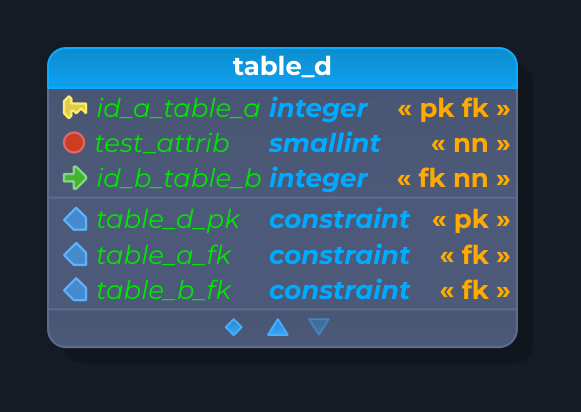
In the design area, the constraint objects are shown in the table's extended attributes area (the bottom portion) in the same place where other objects like triggers, rules, indexes, and policies are listed. In pgModeler, once a constraint is created, its type (primary key, foreign key, unique, etc.) can't be changed due to its strong linking to the relationship objects and the columns/constraints propagation mechanism (explained further in this documentation).
General tab
The editing form of every constraint type starts with the General tab. Its first fields (name, alias, comment, tablespace, and disable SQL code) are the common fields of the objects. The fields below are the ones shared by the constraint types, shown for the primary key. Depending on the type, some of them are hidden (for instance, check constraints have no fill factor, deferral, or temporal key fields) and a few fields are specific to a type, as detailed in the sections of each one.
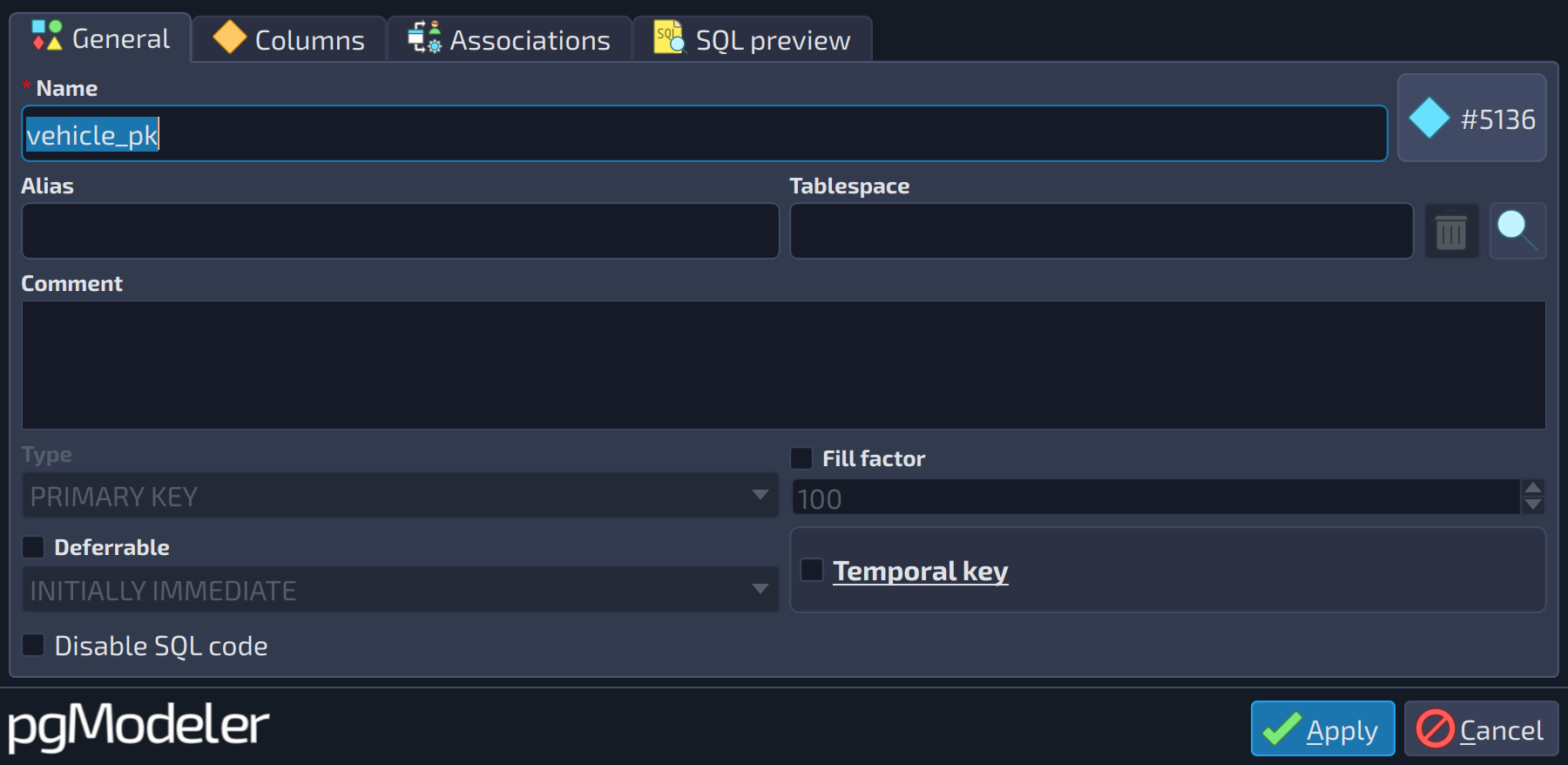 123456
| General | ||
|---|---|---|
| # | Field | Description |
| 1 | Fill factor | This attribute is related to how much (in a percentage from 10 to 100) the table/constraint pages are packed (in terms of physical space usage). This means that if your table is intended to have lots of updates, you should use a small fill factor; on the other hand, static tables or the least updated ones can use a greater fill factor to save disk space. Details about the fill factor attribute can be found in the PostgreSQL documentation. |
| 2 | Type | The data type. Besides the built-in types, the list also holds the user-defined types, domains and other types of the model. |
| 3 | Fill factor value | The fill factor percentage (from 10 to 100). It is enabled when the check box |
| 4 | Deferrable | Specifies whether the constraint can be deferred. |
| 5 | Deferral | Specifies the deferral mode when the constraint is deferrable. Accepted values are |
| 6 | Temporal key | Available from PostgreSQL 18. Makes the last column of the key a temporal one: in primary and unique keys the constraint is generated with |
Primary key
Primary keys specify that one or more table columns can store unique (non-duplicated) and non-null values. Technically speaking, a primary key is a combination of a unique and a not-null constraint. The fields of its General tab are the ones described above. The columns that compose the key are handled in the tab below.
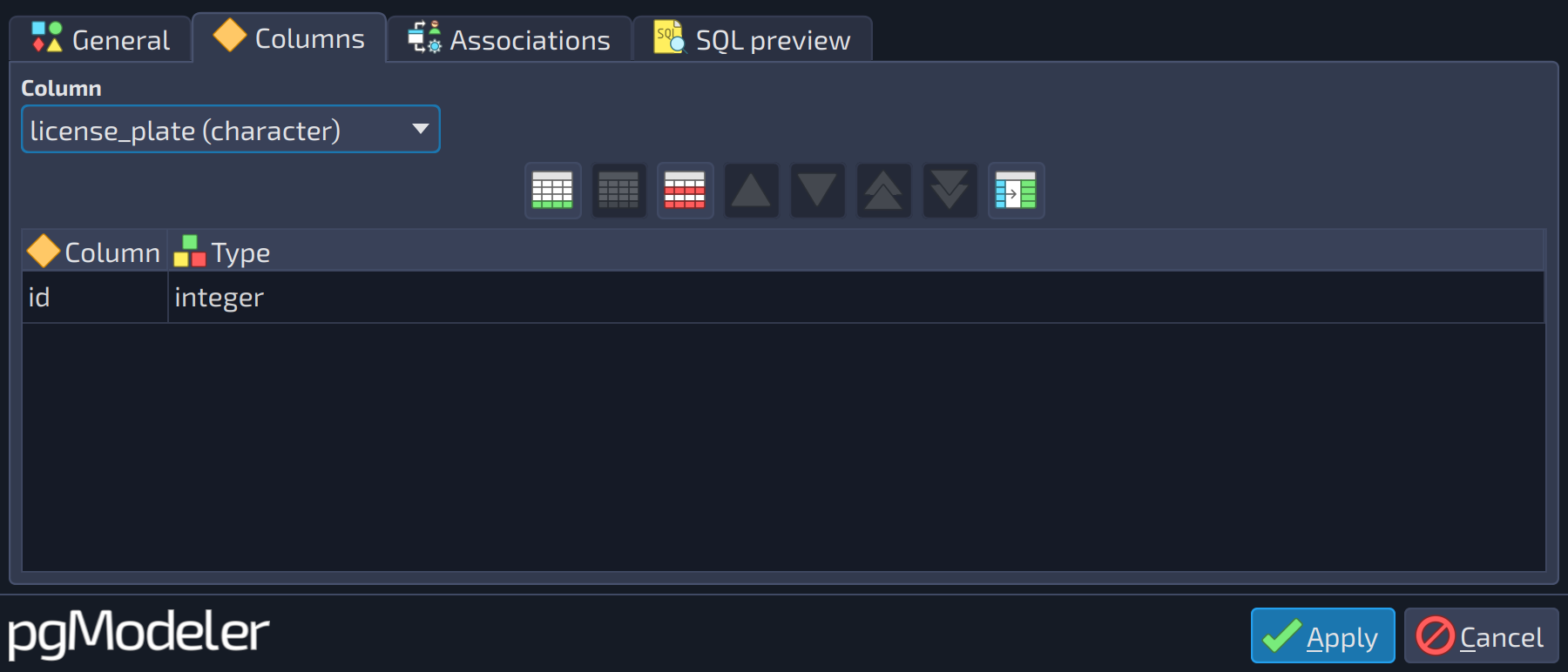 12
12
| Columns | ||
|---|---|---|
| # | Field | Description |
| 1 | Column | Selects a column of the table to be included in the constraint; use the add button |
| 2 | Columns | The columns that compose the constraint. Select a column in the field above and use the add button |
 to include it in the list below.
Foreign key
A foreign key is one of the most important constraints when it comes to data integrity. It requires that a group of columns in the source (or referrer) table only contain values that match the values in columns of the rows of the referenced table.
The General tab of foreign keys has three specific fields, besides the common ones:
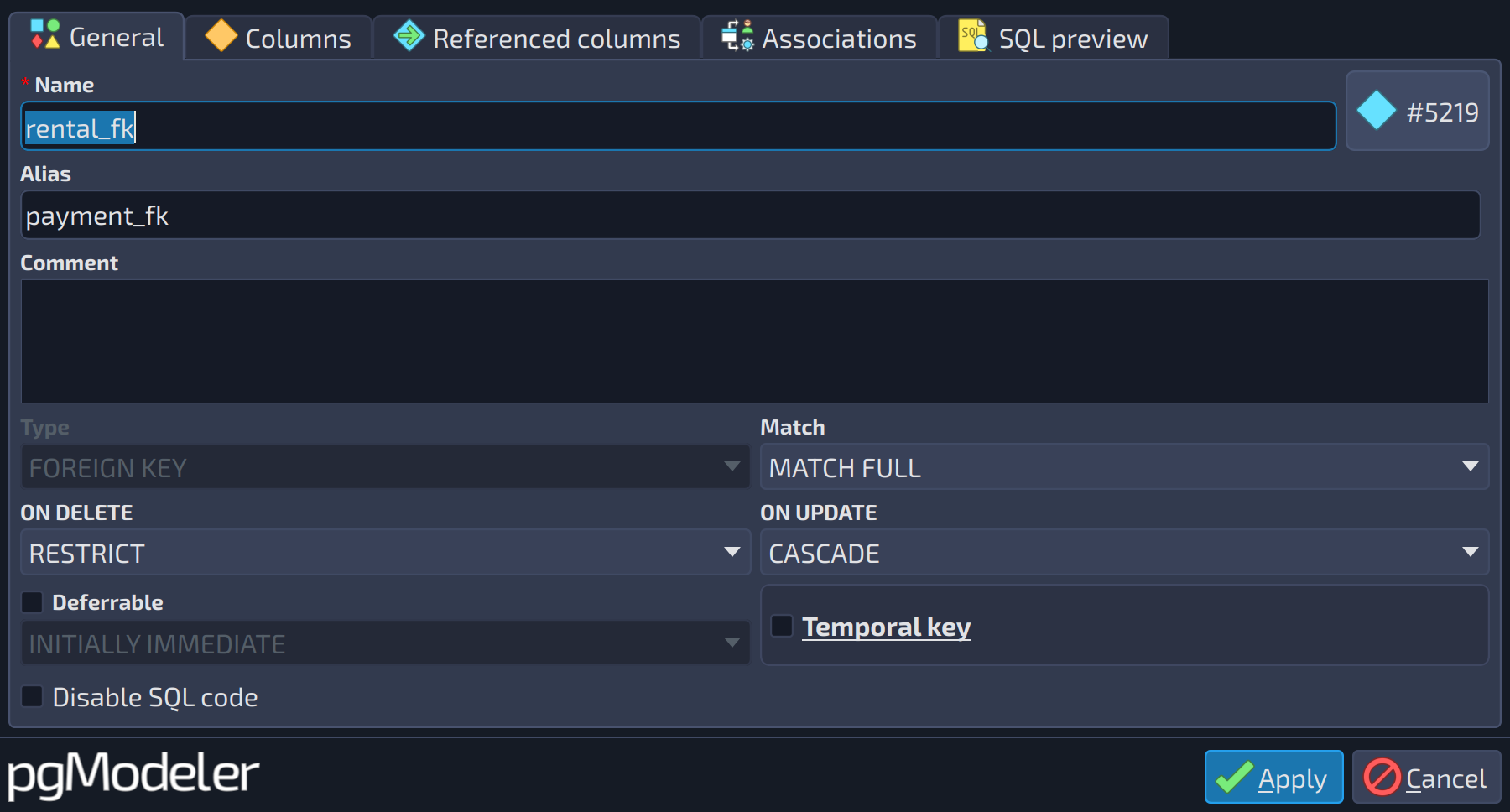 123
123
| General | ||
|---|---|---|
| # | Field | Description |
| 1 | Match | Specifies how values inserted into the referencing column(s) are matched against the value of the referenced column in the referenced table. Possible values are |
| 2 | ON DELETE | Indicates which action must be taken when a row in the referenced table is deleted. Accepted values are |
| 3 | ON UPDATE | Indicates which action must be taken when a row in the referenced table is updated. Accepted values are |
The columns of the source table and the referenced ones are configured in the next tabs:
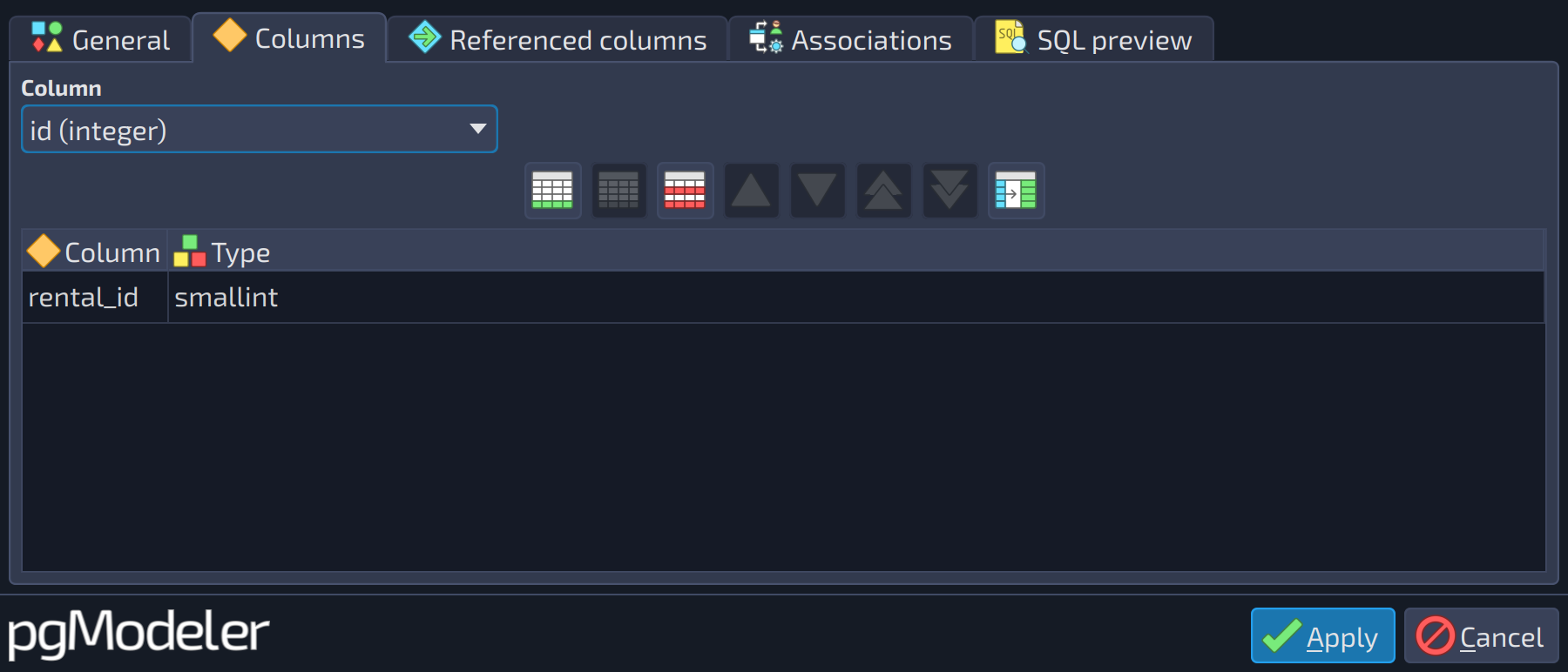 12
12
| Columns | ||
|---|---|---|
| # | Field | Description |
| 1 | Column | Selects a column of the table to be included in the constraint; use the add button |
| 2 | Columns | The columns of the referrer (source) table that compose the foreign key. |
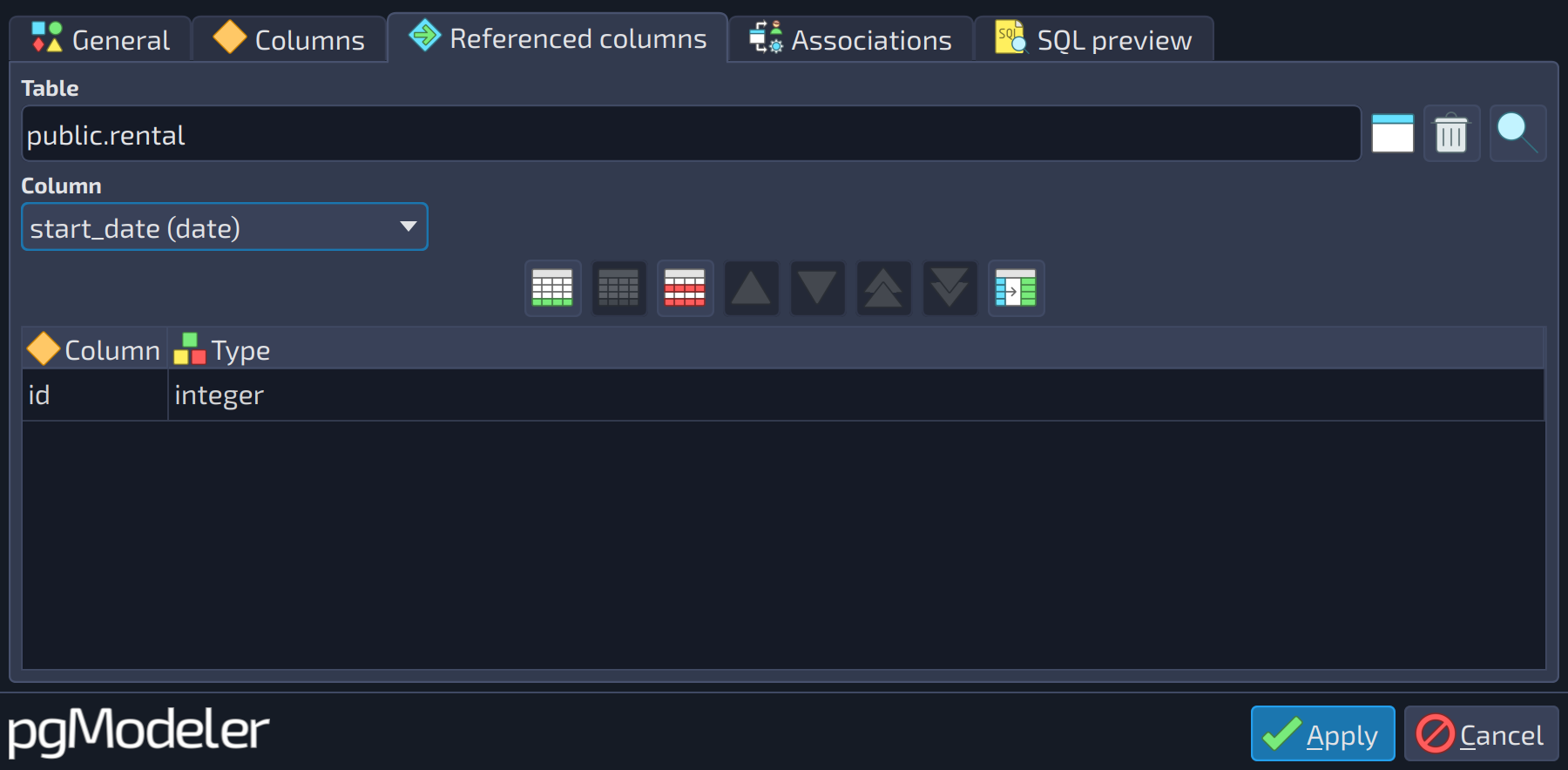 123
123
| Referenced columns | ||
|---|---|---|
| # | Field | Description |
| 1 | Referenced table | The table referenced by the foreign key. Use the buttons |
| 2 | Column | Selects a column of the referenced table to be included in the foreign key; use the add button |
| 3 | Referenced columns | The columns of the referenced table that the foreign key points to. |

 beside the field to pick a table from the model.
Unique
Unique keys specify that a group of columns of a table can contain only unique values and they are configured in exactly the same way as a primary key.
The General tab of unique keys has one specific field, besides the common ones:
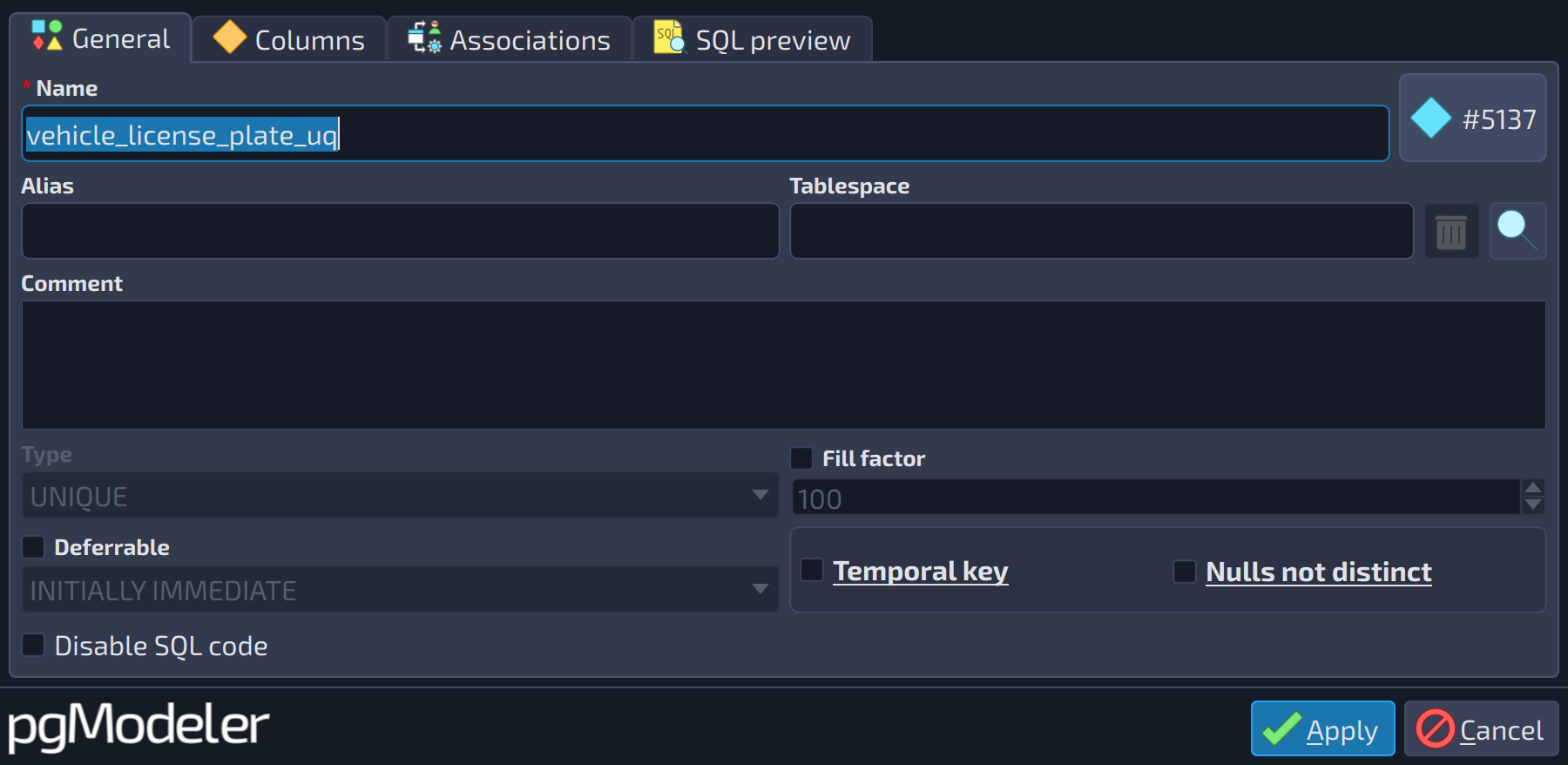 1
1
| General | ||
|---|---|---|
| # | Field | Description |
| 1 | Nulls not distinct | Available from PostgreSQL 15. Treats |
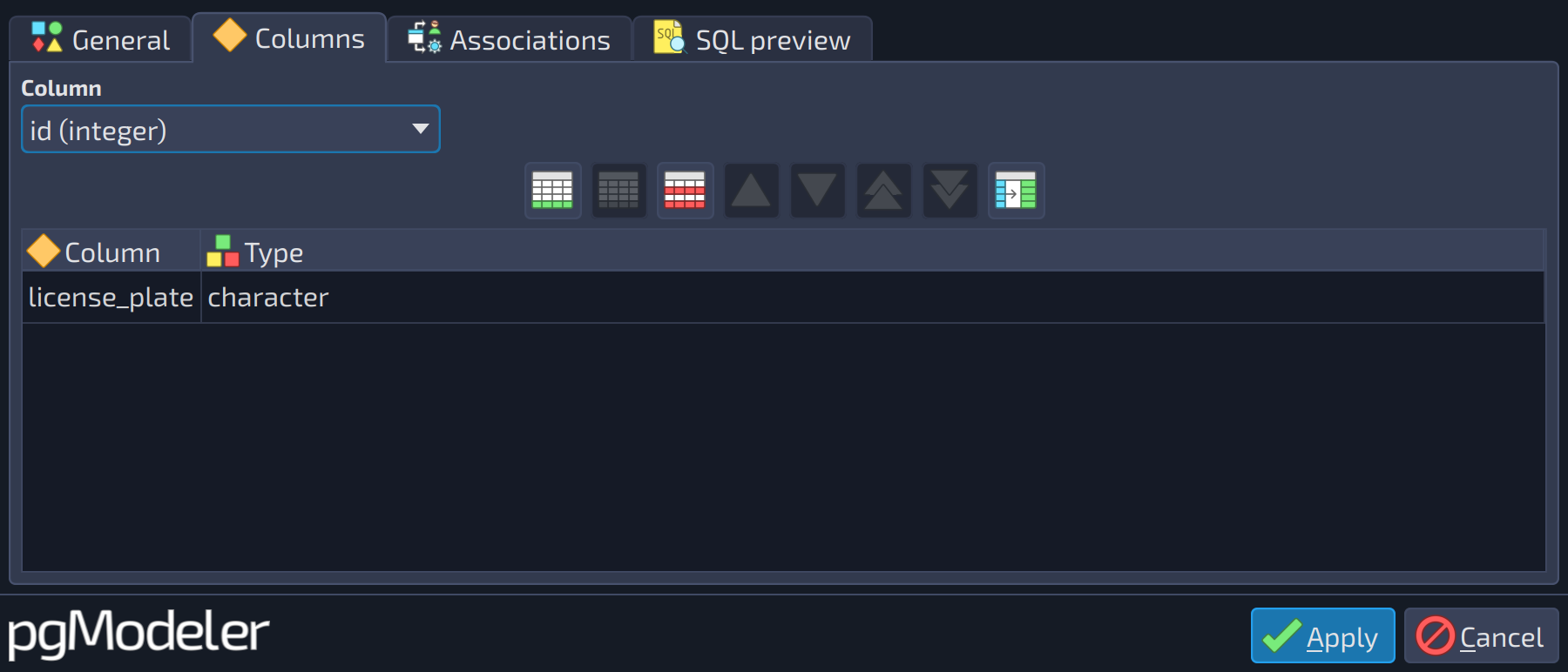 12
12
| Columns | ||
|---|---|---|
| # | Field | Description |
| 1 | Column | Selects a column of the table to be included in the constraint; use the add button |
| 2 | Columns | The columns that compose the constraint. Select a column in the field above and use the add button |
Check
Check constraints specify expressions that produce a boolean result that new or updated rows must satisfy for an insert or update operation to succeed.
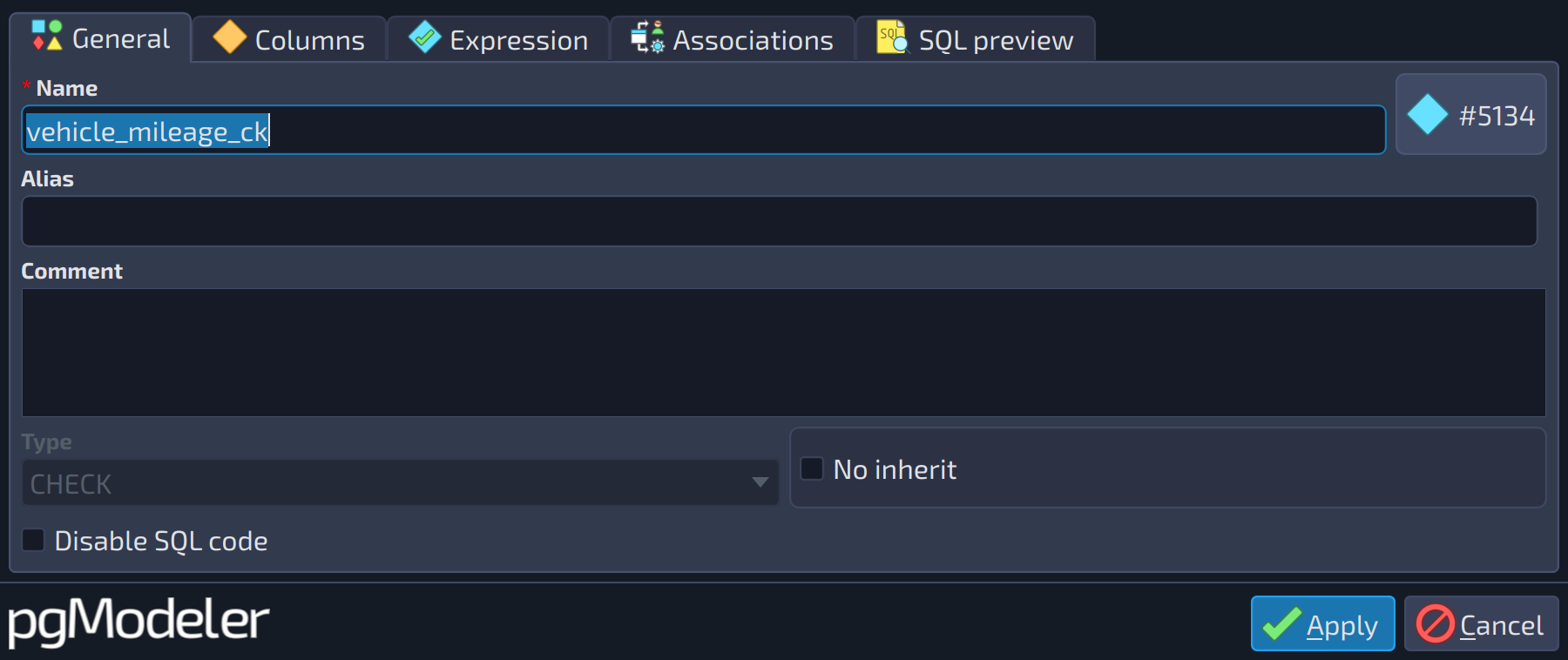
The General tab of check constraints has one specific field, besides the common ones:
 1
1
| General | ||
|---|---|---|
| # | Field | Description |
| 1 | No inherit | Indicates that the object must not be propagated to the child tables of the owner of this constraint. This is related to generalization relationships and details about it can be found in the section about generalization relationships. |
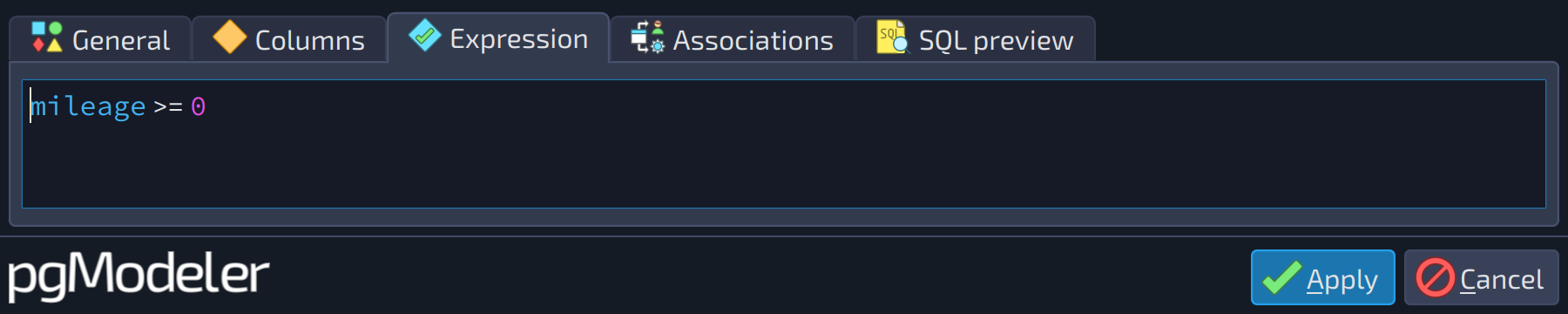
The expression is typed in the tab below:
 1
1
| Expression | ||
|---|---|---|
| # | Field | Description |
| 1 | Check expression | A SQL expression that is evaluated every time a row is inserted or updated in the table. The expression must be true so the insert or update succeeds. |
Exclude
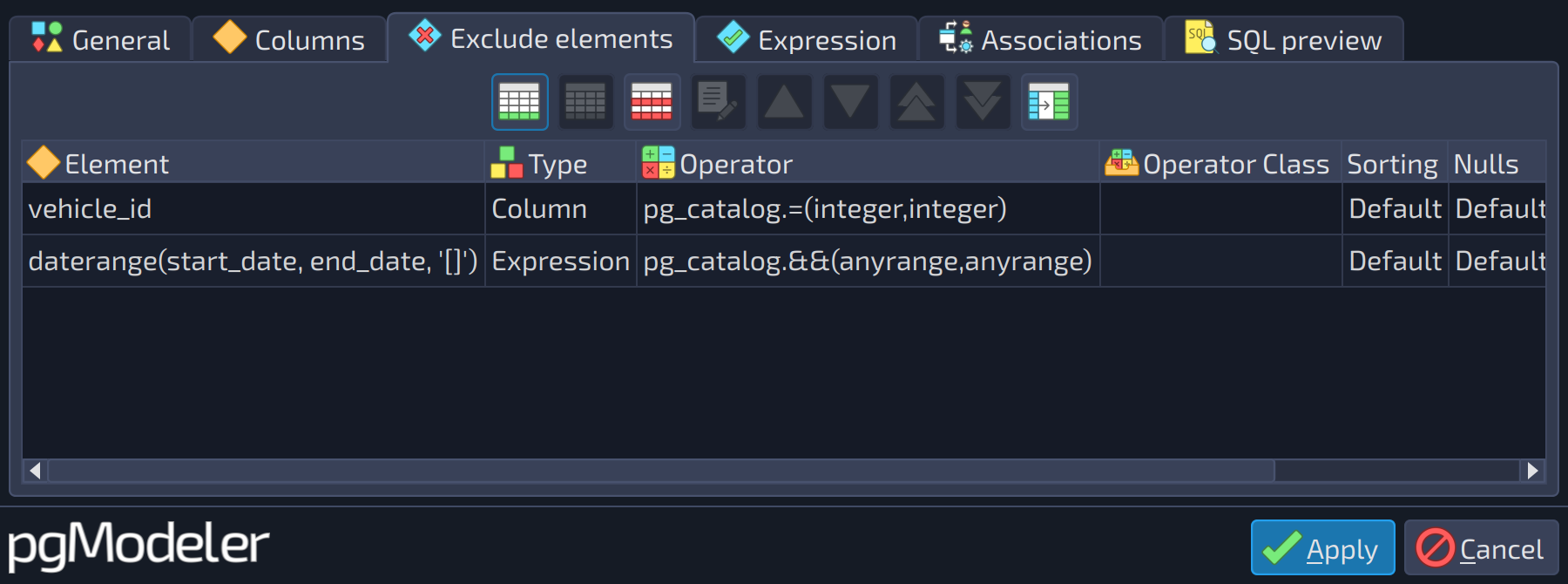
The exclude constraint guarantees that if any two rows are compared on the specified column(s) or expression(s) using the specified operator(s), not all of these comparisons will return true. Internally, exclude constraints are implemented using indexes, and the fields detailed below are almost the same as the ones found in the index editing form. In pgModeler, an exclude constraint is composed of exclude elements which indicate which columns or expressions are used by the constraint. The exclude elements are handled in a different form to facilitate the visualization and handling (see below).
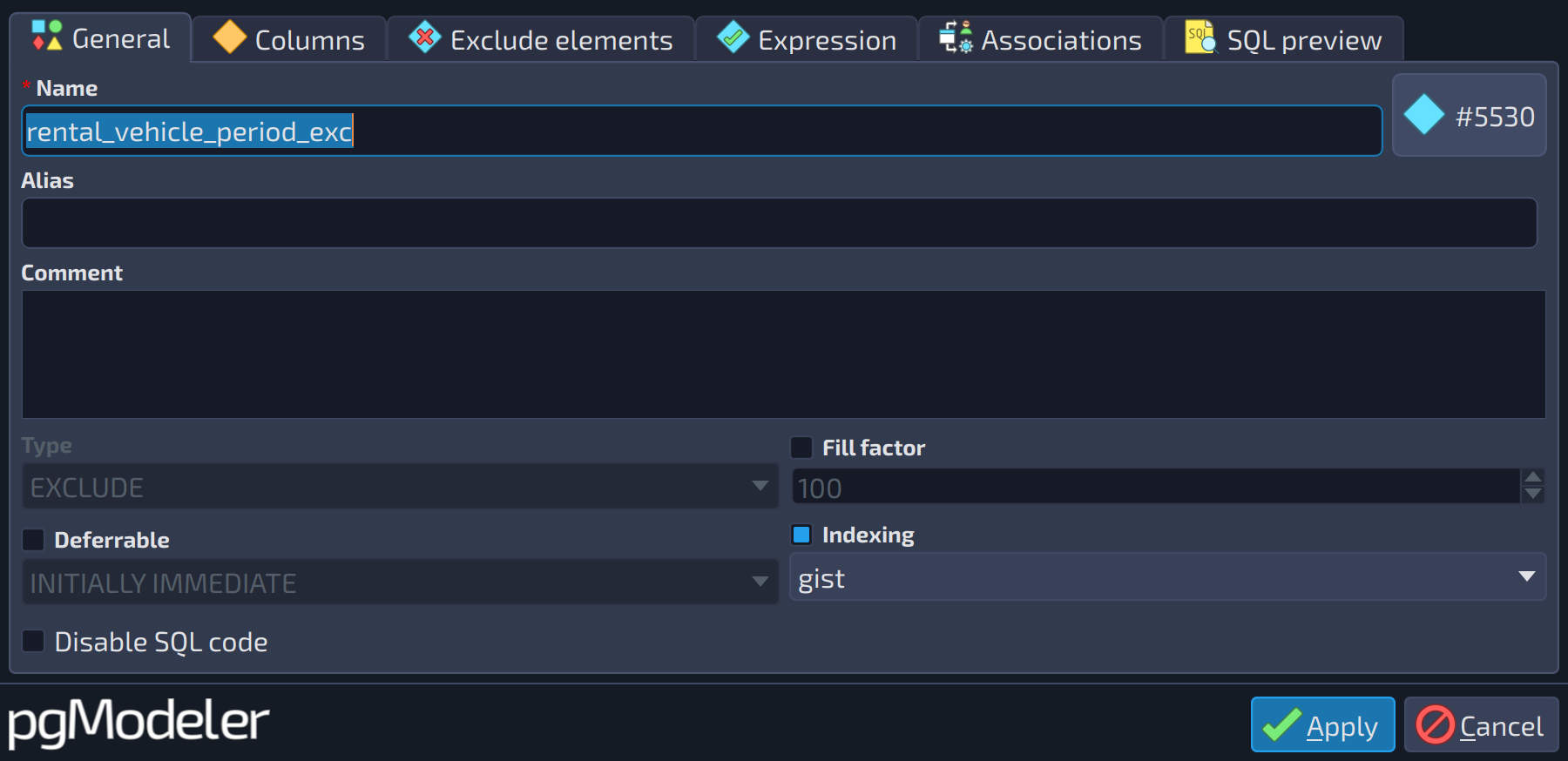
The General tab of exclude constraints has the specific field Indexing, besides the common ones:
 12
12
| General | ||
|---|---|---|
| # | Field | Description |
| 1 | Indexing | Enables the index access method selection for the exclude constraint. |
| 2 | Indexing method | The index access method used to implement the exclude constraint ( |
 1
1
| Exclude elements | ||
|---|---|---|
| # | Field | Description |
| 1 | Exclude elements | The exclude elements of the constraint, each one with its column or expression, operator class, collation, sorting and operator. Each element is configured in the form described below. |
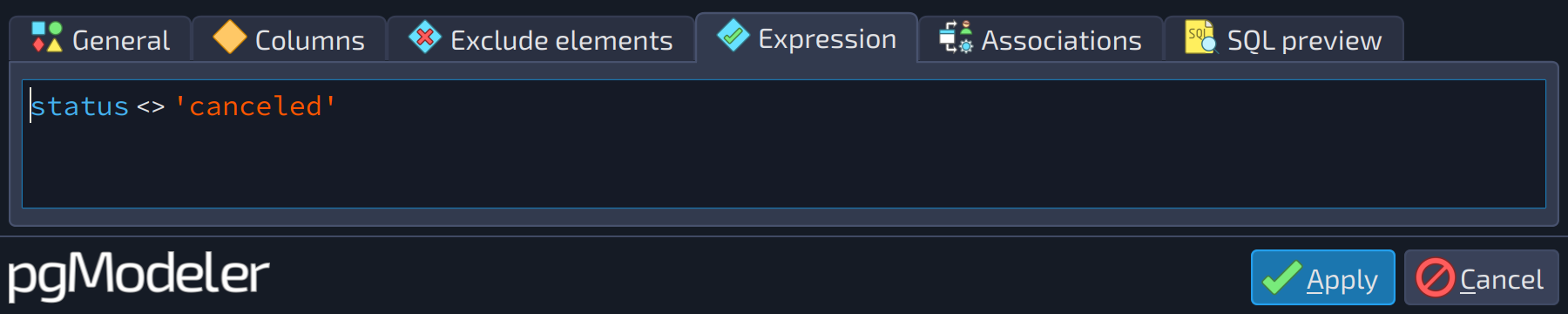 1
1
| Expression | ||
|---|---|---|
| # | Field | Description |
| 1 | Expression | A SQL expression used as a predicate for the exclude constraint. |
Each element of the exclude constraint is configured in the following form:
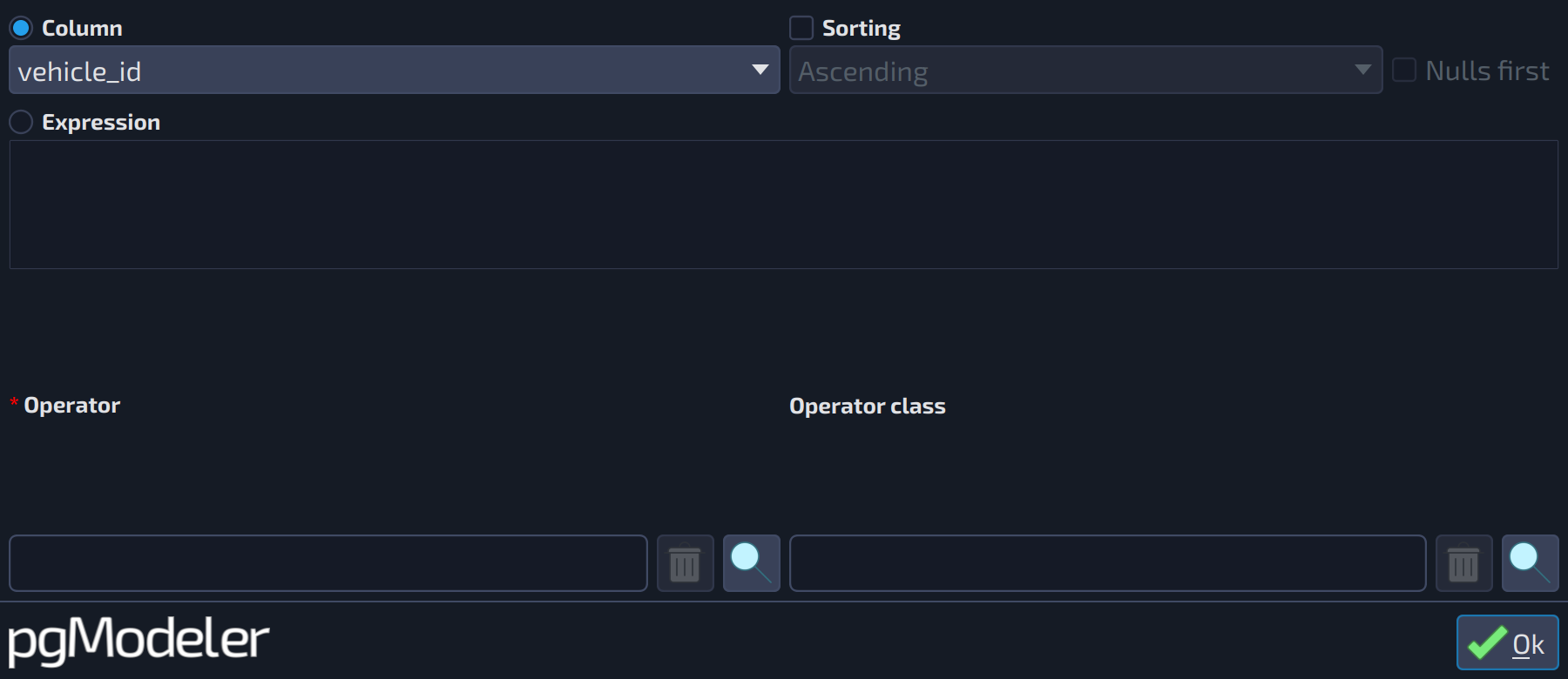 123456789
| Exclude element | ||
|---|---|---|
| # | Field | Description |
| 1 | Column | Column that composes the current exclude element. This attribute is mutually exclusive with Expression. |
| 2 | Sorting | Enables row sorting on the exclude element. |
| 3 | Element column | The column used as the element, when the option |
| 4 | Sorting direction | The sorting direction, ascending or descending, used when the check box |
| 5 | Nulls first | Indicates that null values must be sorted before non-null values. |
| 6 | Expression | A SQL expression that composes the current exclude element. This attribute is mutually exclusive with Column. |
| 7 | Element expression | The SQL expression used as the element, when the option |
| 8 | Operator | An operator associated with the exclude element. Refer to the section about operators to get details about this kind of object. |
| 9 | Operator class | An operator class associated with the exclude element. Refer to the section about operator classes to get details about this kind of object. |
The tabs Associations and SQL preview are common to every object and are described in the introduction of this chapter.
References
Table DDL
https://postgresql.org/docs/current/static/sql-createtable.html