4. Introduction
The majority of the pgModeler features can be customized to deliver better usability and productivity to the users. The configuration dialog is divided into six sections: General  , Appearance
  , Relationships
  , Connections
  , Snippets
  , and Plug-ins
  . To open the settings, switch to the Configure view, either by clicking the Configure button in the views bar of the main window or through the menu Edit > Configure.
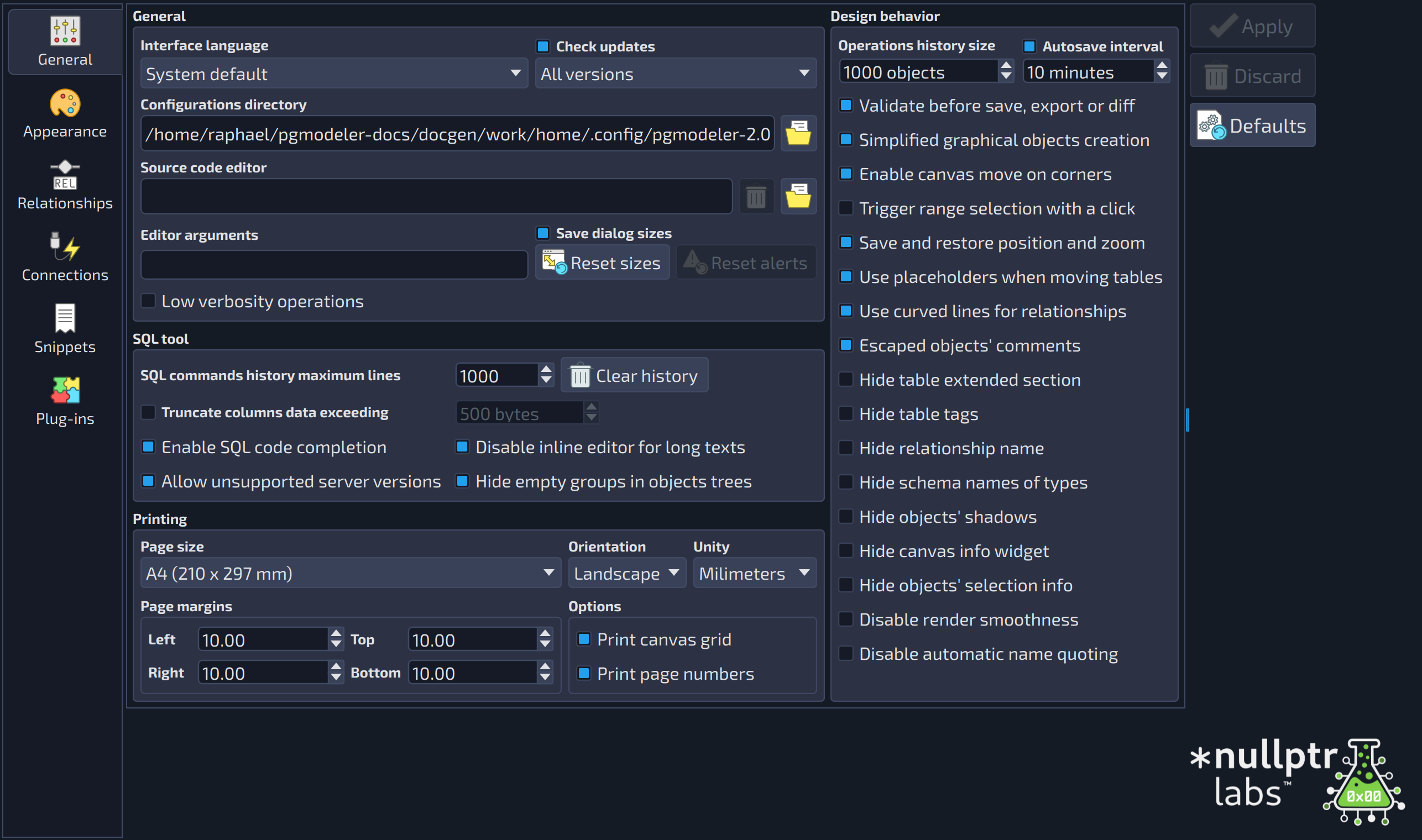
Once in the configurations, you are free to change all available options, but be sure to click the Apply button (see image below) to save the configuration files. To abort any modification, just click Discard. Finally, the user can revert the adjustments at any time to their default values by clicking Defaults at the bottom of the dialog. This is possible because pgModeler stores all of its original settings in a folder called conf/defaults in the installation directory. Note that the default settings restoration is only made for the current section, so if you intend to restore all settings on all sections, you need to go through each one and click Defaults.
 123
123
- Sections bar: selects the section to be configured: General, Appearance, Relationships, Connections, Snippets and Plug-ins.
- Section contents: the options of the selected section.
- Action buttons: Apply saves the configuration files, Discard reverts the changes not yet applied and Defaults restores the default values of the current section.
The application stores the settings per user, which means that the configuration files are saved in the user's local storage, which varies according to the operating system: C:\Users\[user]\AppData\Local\pgmodeler-[version] on Windows, /home/[user]/.config/pgmodeler-[version] on Linux, and /Users/[user]/Library/Preferences/io.pgmodeler-[version] on macOS. The [version] suffix is the major version of the running pgModeler.
The files saved on the local storage are: general.conf (general behavior settings), appearance.conf (UI appearance settings), relationships.conf (relationships objects settings), connections.conf (servers connections settings), snippets.conf (code snippets settings), and some other files that aren't directly accessible or customizable from the configuration form.