6.16. Model changelog
To make the partial diff as user-friendly as possible, a minimalist changelog was implemented in the database model. As the name suggests, it registers any create, update, or delete operation performed over any object. The changelog contains a set of entries, each one composed of the date of the action (in local date/time), the object's signature, the type of the object, and the action taken. The entries of the changelog of a model can be inspected as shown below.
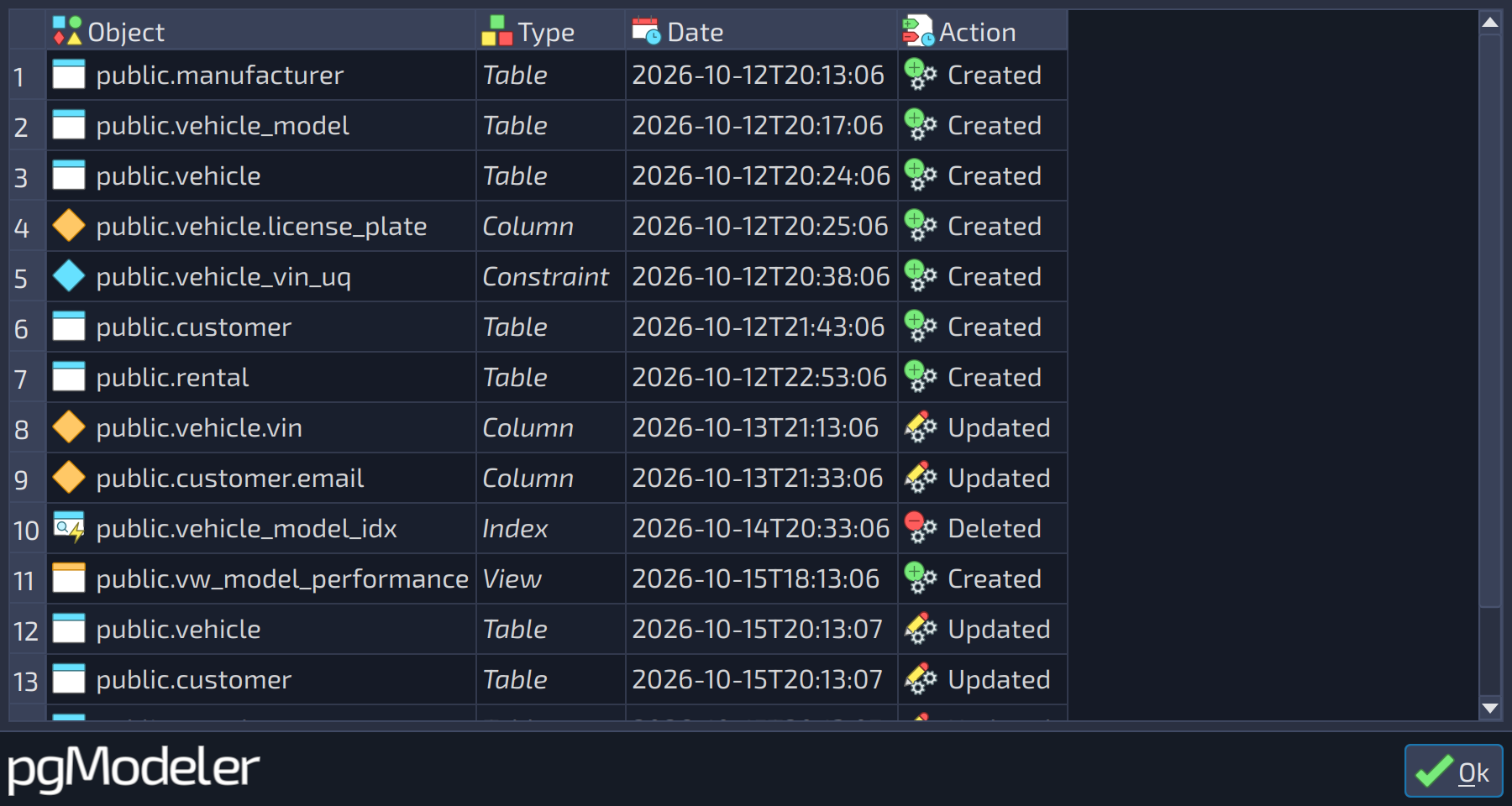
This simple changes list is the basis of the partial diff which was explained in the previous chapter. The model's changelog has, by default, a limited lifetime. It lasts while the database model isn't closed. But the user can force the writing of the changelog in the database model file which can be useful to store all the modification history and use it in the partial diff at any time.
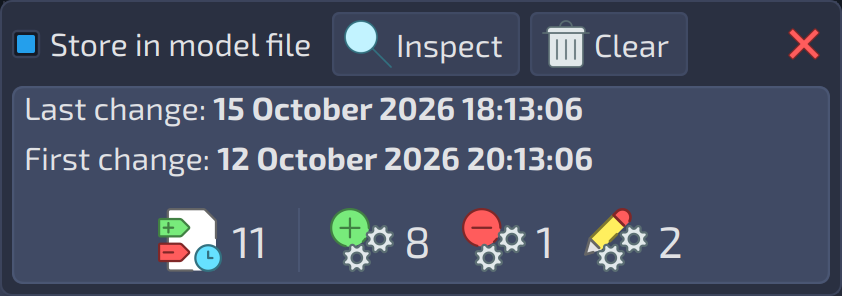
Despite the usefulness of storing the changelog in the file, there's an important side effect: the quick bloating of the XML code that represents the whole database model. So it's up to the user to decide if it's worth storing the changelog in the model file, knowing that it can grow quickly, or if using a non-persisted changelog is okay for the model being worked on. The recommendation is: if you are working on the model for the first time and the database it represents does not exist, or you don't intend to develop a database incrementally (add objects to the model > generate diffs > repeat), you don't need to save the changelog to the model file; otherwise, if you constantly add objects to the model and generate diffs, it's useful to keep track of the model's changes by persisting them into the model file. To have some control over the model's changelog, a simple widget was created that can be used to tweak the behavior of the changelog and check some useful information like the last change made on the model and how many entries the changelog has.
 123
123
| Changelog | ||
|---|---|---|
| # | Field | Description |
| 1 | Store in model file | Toggles the saving of the changelog to the database model file. |
| 2 | Inspect | Opens the XML code of the changelog for inspection, listing its entries (see the next image). |
| 3 | Clear | Clears the entire changelog. |
This concludes Chapter 6. These were the last explanations about pgModeler's advanced tools and how they offer the user a good balance between flexibility and productivity. In the next chapter, we'll see some tips and tricks to help the user even more in the modeling process.