6.3. Source code preview
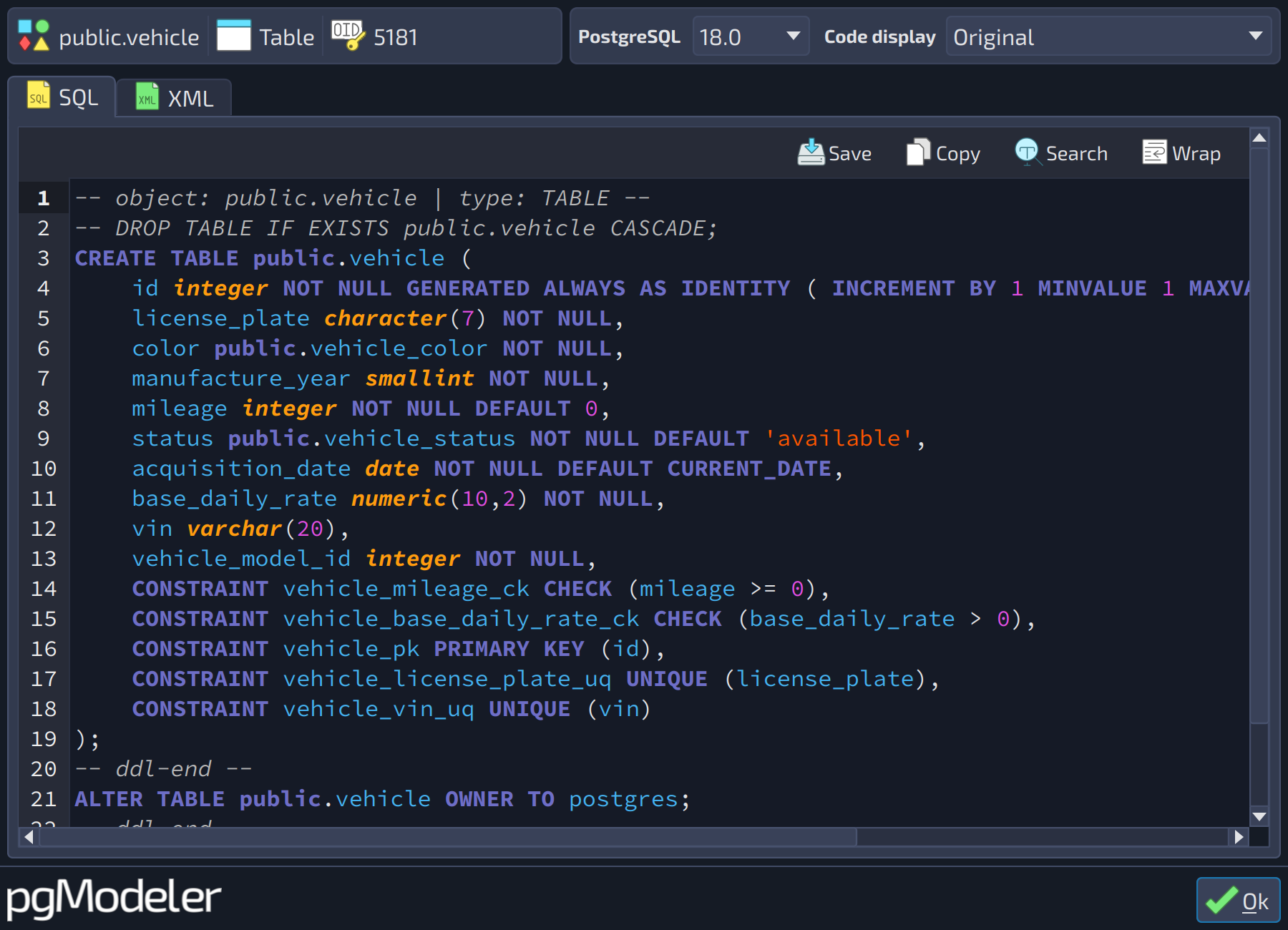
Another interesting tool is the source code preview which permits the user to visualize the source code of one object or more selected objects on the fly without the need to export them to a SQL file (in the case of SQL code) or to open the database model file in a text editor (in the case of XML definition).
Additionally, it is possible to change the generated SQL syntax for the current objects by changing the value of the field PostgreSQL. This technique is quite useful when you need to see how the code is generated in different versions of PostgreSQL to determine whether that code can be exported to a specific version.
This dialog can be activated by pressing the shortcut Alt + S or by right-clicking a selection of objects and activating the Source code menu item. If no object is selected, the default behavior is to show the source code of the entire database model. All fields in this dialog are described as follows:
 123
123
| Source code preview | ||
|---|---|---|
| # | Field | Description |
| 1 | PostgreSQL | The PostgreSQL version in which the source code is generated. The SQL tab is updated automatically whenever the value of this field changes. Changing this field only affects the generation of the SQL code. |
| 2 | Code display | Changes how the code is generated for some kinds of objects. |
| 3 | Source code | The source code of the selected object(s), generated for the chosen PostgreSQL version and code display mode. |
| Field | Description |
|---|---|
Name | The name of the object whose code is being displayed. |
Type | The type of the current object. |
SQL | This tab shows the SQL code of the object. |
XML | This tab shows the XML code of the object. |