6.4. Model fix tool
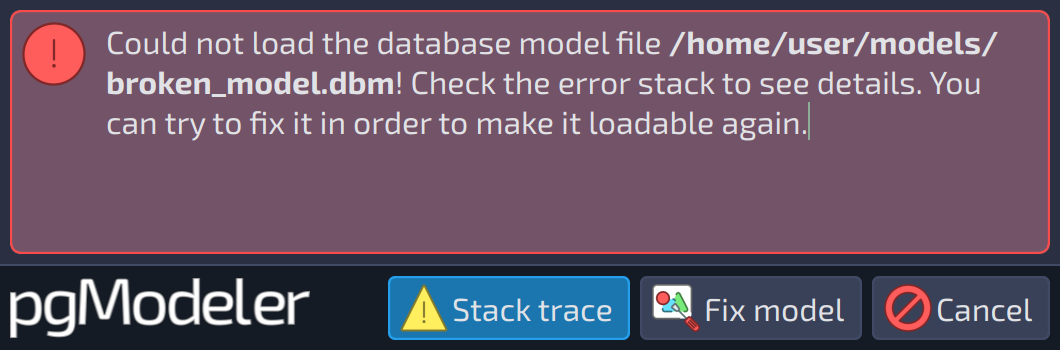
Sometimes, during the loading of a database model file, an error message like the image below can be raised by pgModeler. This error happens mainly because the user ignored the model validation warnings and saved the model or loaded a file that was generated in an older version of pgModeler that contains some incompatibilities with the current version. In both cases, the file is corrupted and will be loadable again only if a set of patches is applied to its structure.
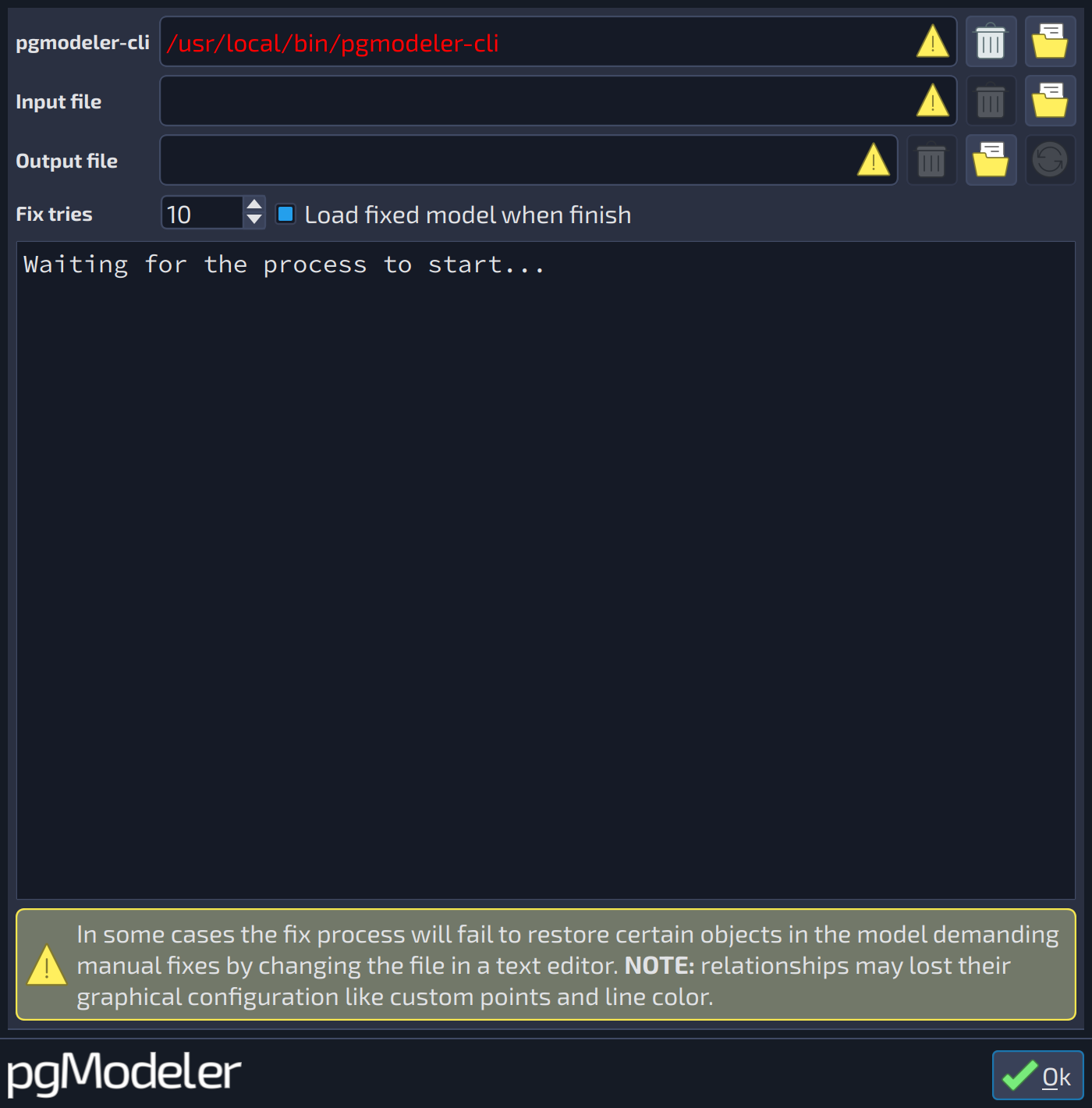
Originally, this model fix feature was implemented only in the command-line interface version of pgModeler, but to facilitate the interaction with the user, a graphical interface to the command-line tool was implemented, resulting in the dialog described below. The only task executed by this dialog is to take an input model file (the broken one), an output file (where the fixed model will be stored), and call the command-line interface to do the fix task. The user can follow the whole process on the console-like field located at the center of the dialog.
It is possible to use this dialog at any time, not necessarily only on loading errors. If you have broken models and want to fix them before loading, just switch to the Fix view (in the views bar of the main window) and select the tool Model file. The available fields of the dialog are detailed below.
 12345678910
| Model fix | ||
|---|---|---|
| # | Field | Description |
| 1 | pgmodeler-cli | The path of the |
| 2 | Select file | Opens a dialog to select the |
| 3 | Input file | The broken model file to be fixed. |
| 4 | Select file | Opens a dialog to select the model file to be fixed. |
| 5 | Output file | The file in which the fixed database model will be stored. |
| 6 | Select file | Opens a dialog to select the file that receives the fixed model. |
| 7 | Generate file name | Generates the name of the output file from the name of the input file, appending the suffix |
| 8 | Fix tries | The number of attempts made by the fix process (from 1 to 100, the default is 10). Generally, there is no need to change this value, but depending on the arrangement and size of the model, you can increase it to fix a broken model correctly. |
| 9 | Load fixed model when finish | When checked, pgModeler loads the fixed model when the process finishes. |
| 10 | Output | Shows the output of the fix process. |