7.18. Managing relationship generated objects
pgModeler allows a way to edit relationship-generated objects. By default, when the user creates a one-to-one, one-to-many, or many-to-many relationship, pgModeler will create and lock the objects (columns and constraints) that represent the link between the tables. This is done because the tool needs full control over those objects to propagate name changes and other attributes, making repetitive operations of linking tables via foreign key constraints quicker. This feature is called automatic column propagation.
To find out which relationship generated a locked object, right-click it (a column, a constraint, or an index of the table) and choose Open relationship: the action opens the editing form of the relationship that owns the object, where its attributes, name patterns, and other settings can be changed.
The drawback of those objects' locks is that the user can't modify their attributes, which, in some really specific scenarios, is a bad thing. Thinking of these specific cases, one can "convert" the relationships in such a way that the locks are removed and the user is free to change the columns and constraints structures. Converting a one-to-one or one-to-many relationship will cause the detachment (unlocking) of the objects that represent the relationship, generating an FK relationship instead. Such a conversion feature already exists for many-to-many relationships. The only restriction of converting a relationship is that the user loses the column propagation feature for any converted relationship, leaving it up to the user to change any of the attributes of the objects that are related to the linking between tables.
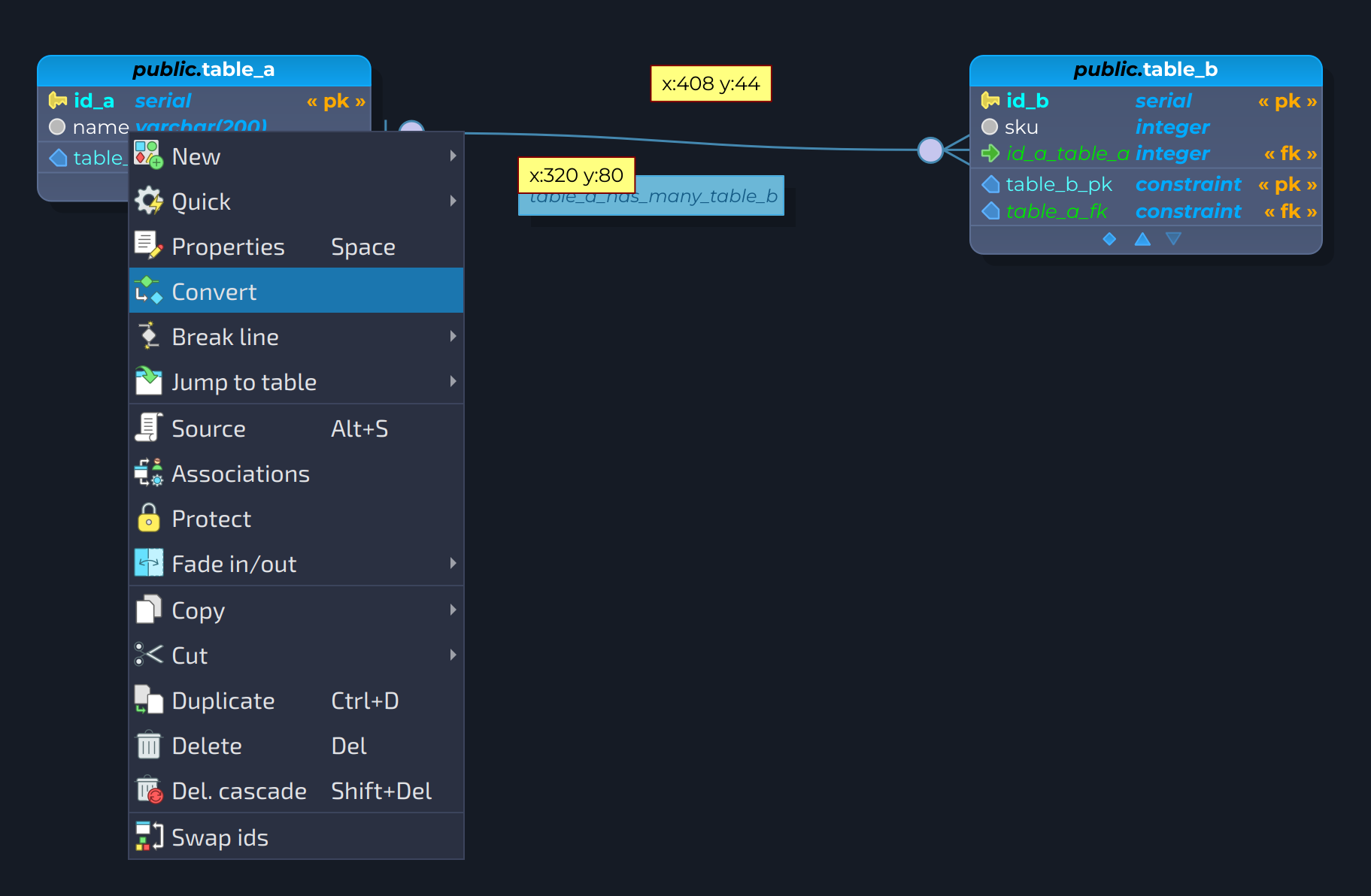
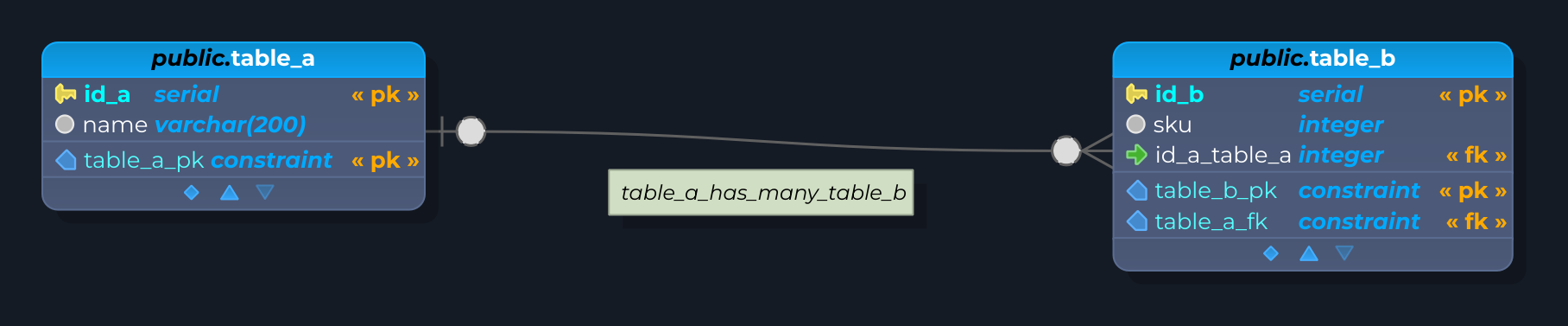
The image below demonstrates the same relationship before and after the conversion. In the first case, the relationship is still an ordinary one-to-many, being the column id_a_table_a and the constraint table_a_fk the objects locked and managed by it. After the conversion, which is triggered by a right-click on the relationship and choosing Convert, an FK relationship is created in place, and the objects id_a_table_a and table_a_fk are now unlocked for any kind of modification.