8.2.4. Backup utilities
This plug-in implements a user-friendly interface for the PostgreSQL backup tools pg_dump, pg_dumpall, pg_restore, and psql. This extra feature, toggled by the action Backup utils  (
(Ctrl+Shift+B) or by the button of the same name in the database explorer, was developed mainly for users who are less comfortable with command-line tools, making it possible to dump and restore databases without leaving pgModeler's GUI.
In a nutshell, besides configuring the backup tools' parameters with a simple form, it allows the creation of presets per backup tool for different needs, and it also has some facilities that automate the backup file name generation by using a default backup folder and name patterns. Since the plug-in reuses the configured connections information, passing them to each backup utility command, make sure to use credentials that can log in to the server and perform a dump or restore, or the mentioned processes will fail.
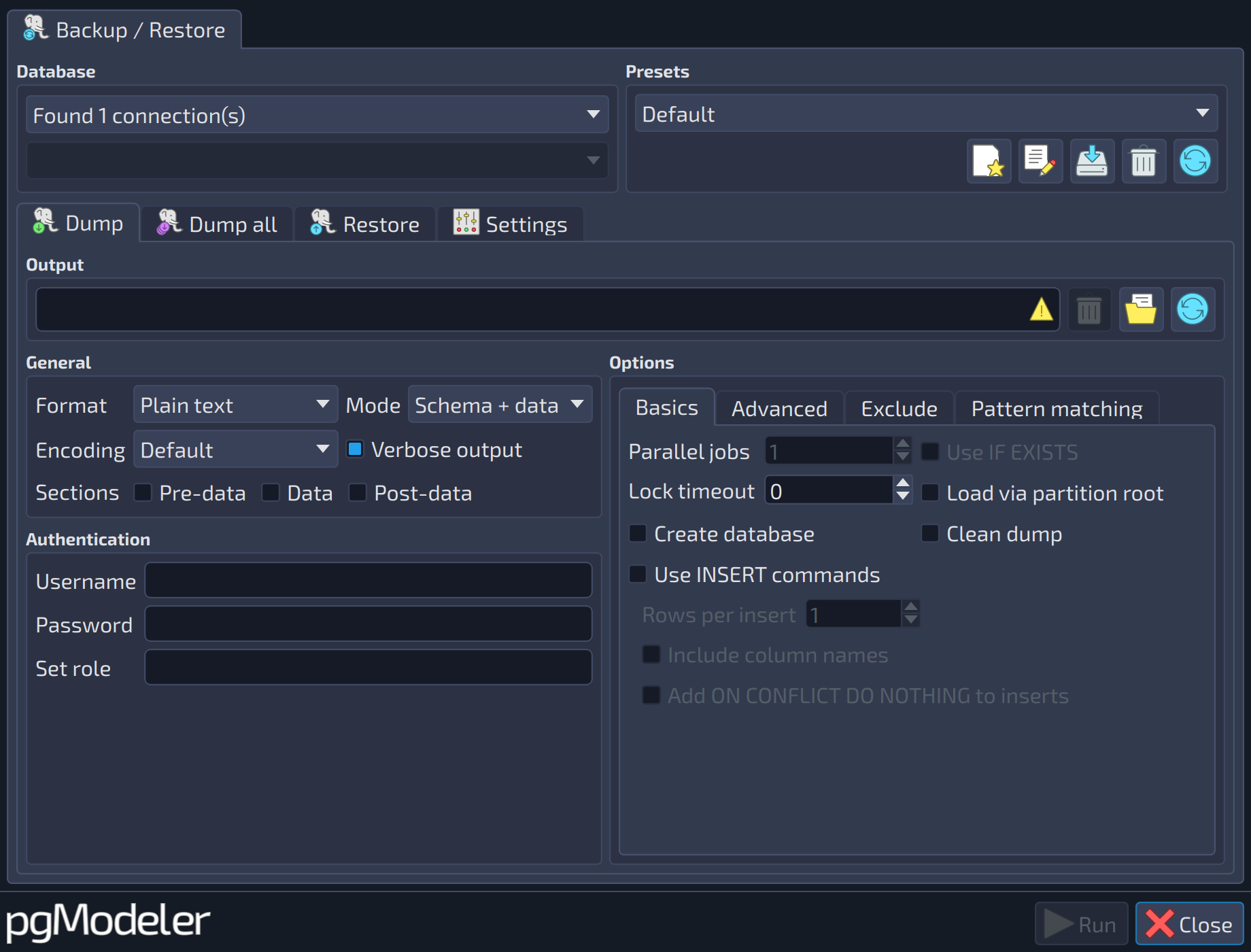
The image below shows the pg_dump section of the plug-in. The options there are user-friendly labels for each command-line option of the pg_dump command; in case of doubts, you can always refer to the official PostgreSQL docs to obtain detailed information about them. Specifically for Dump and Dump all sections, selecting a connection and a database name in the Database group at the top-left portion of the form will trigger the automatic output filename generation according to the parameters defined in the Settings tab. If none of the automatic name generation parameters are defined, then you have to manually specify the output filename.
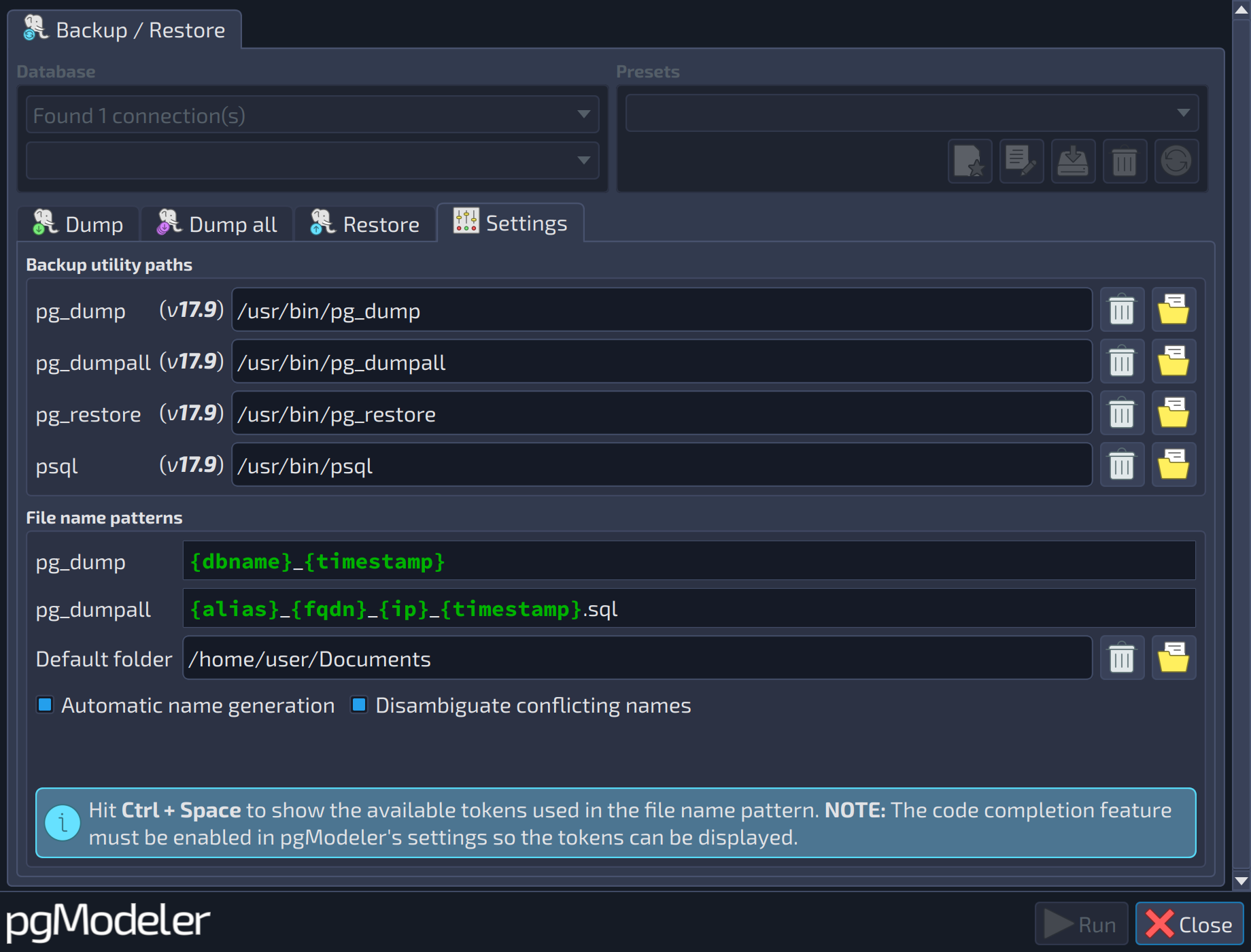
The backup plug-in settings section is quite simple and demands almost no user interaction in a normal initialization. In the Backup utilities paths, the plug-in tries to locate the needed PostgreSQL backup utilities and assign them to each selector. If one or more executables couldn't be found, the related selector will display a warning sign so the user can fix the problem. The File name patterns section is where the automatic name generation feature is configured. The first two fields, pg_dump and pg_dumpall, are the name patterns used in the Dump and Dump all sections. In those two fields, hitting Ctrl+Space shows a popup with the available tokens used by the patterns to create the output file names. The Default folder selector is a valid path to a folder where all the backups will be saved. Finally, the Automatic names generation option toggles the whole process of generating a name based on the options configured in the group, while the option Disambiguate conflicting names will avoid the generation of names that somehow may overwrite a backup file already present in the output folder.
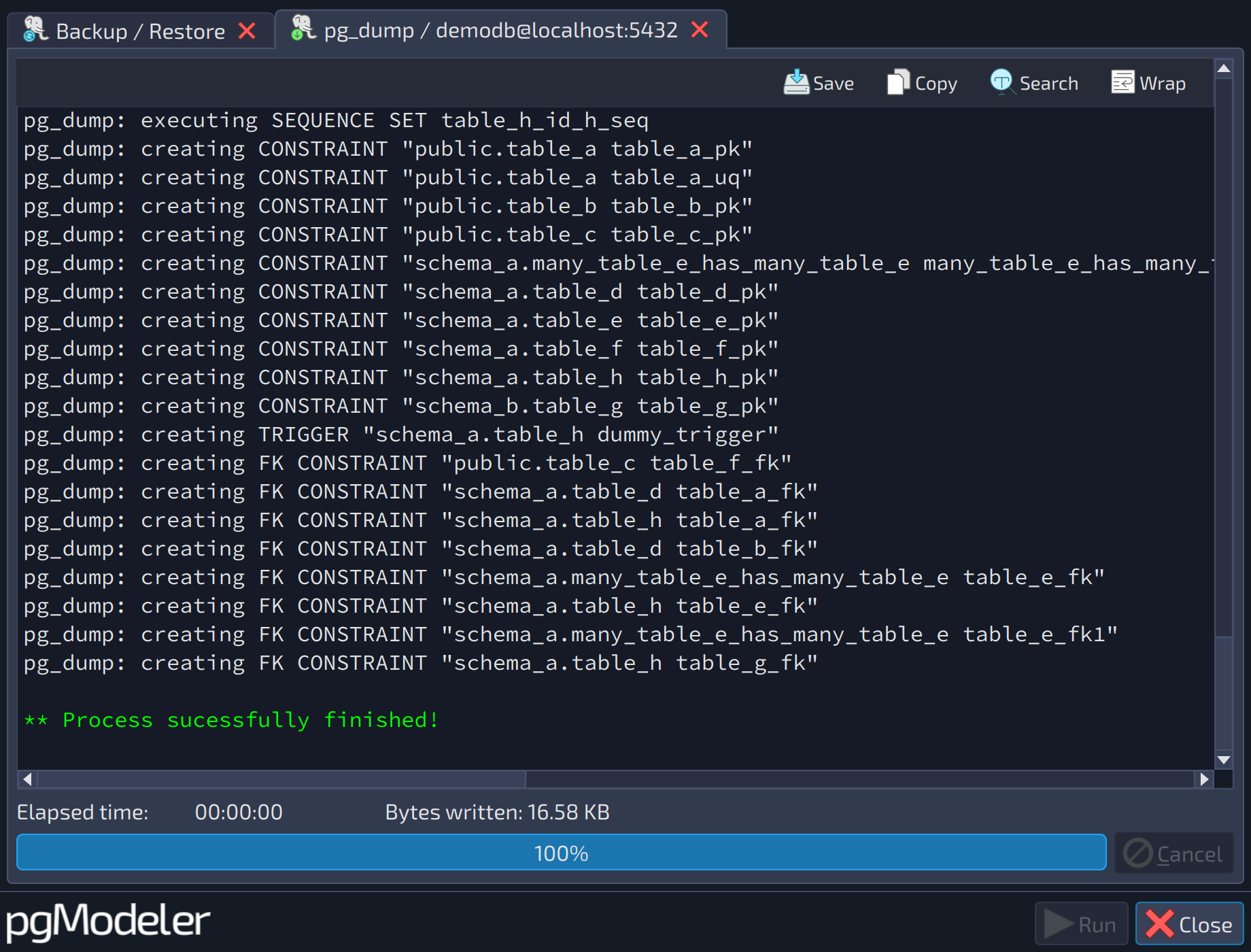
Once you have tweaked all the desired options in the backup utility tab, just hit Run to start the selected backup tool. Once the process starts, all the output will be displayed in the Output tab, as in the image below.
WARNING: Connections' passwords are stored in plain text format in the settings. To avoid security issues, make sure to protect the access to the directory where pgModeler settings are saved in the local user's storage (OS-dependent) from users other than the one running the tool. There are plans to encrypt stored passwords in future releases.
References
PostgreSQL backup utilities docs
https://www.postgresql.org/docs/current/app-pgdump.html
https://www.postgresql.org/docs/current/app-pg-dumpall.html