pgModeler Plus
Unlock the full professional toolkit.
Academic student? Get 50% off!
pgModeler is an multi-platform PostgreSQL schema engineering tool — locally installed, Git-friendly, and built with a deep PostgreSQL specialization. Design schemas visually, reverse-engineer production databases, diff and sync across environments, and automate deployments through a powerful CLI. No cloud dependency. No telemetry. No lock-in. Your schemas live in open files on your machine. Offered as community and commercial editions — both with the same core features. Buy pgModeler Plus and fund Nullptr Labs, ensuring you save time while keeping the project independent and evolving.
Unlock the full professional toolkit.
Academic student? Get 50% off!
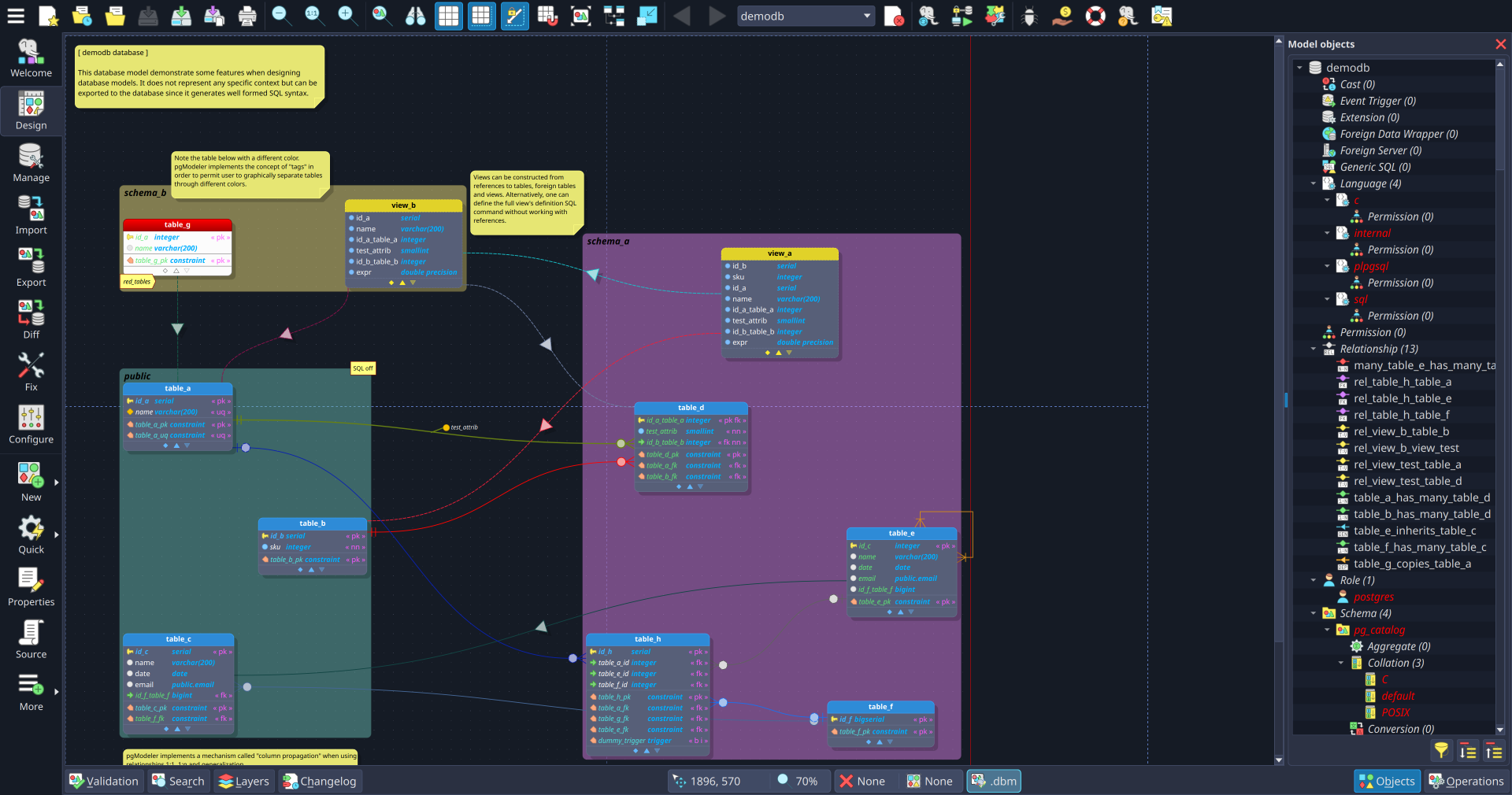
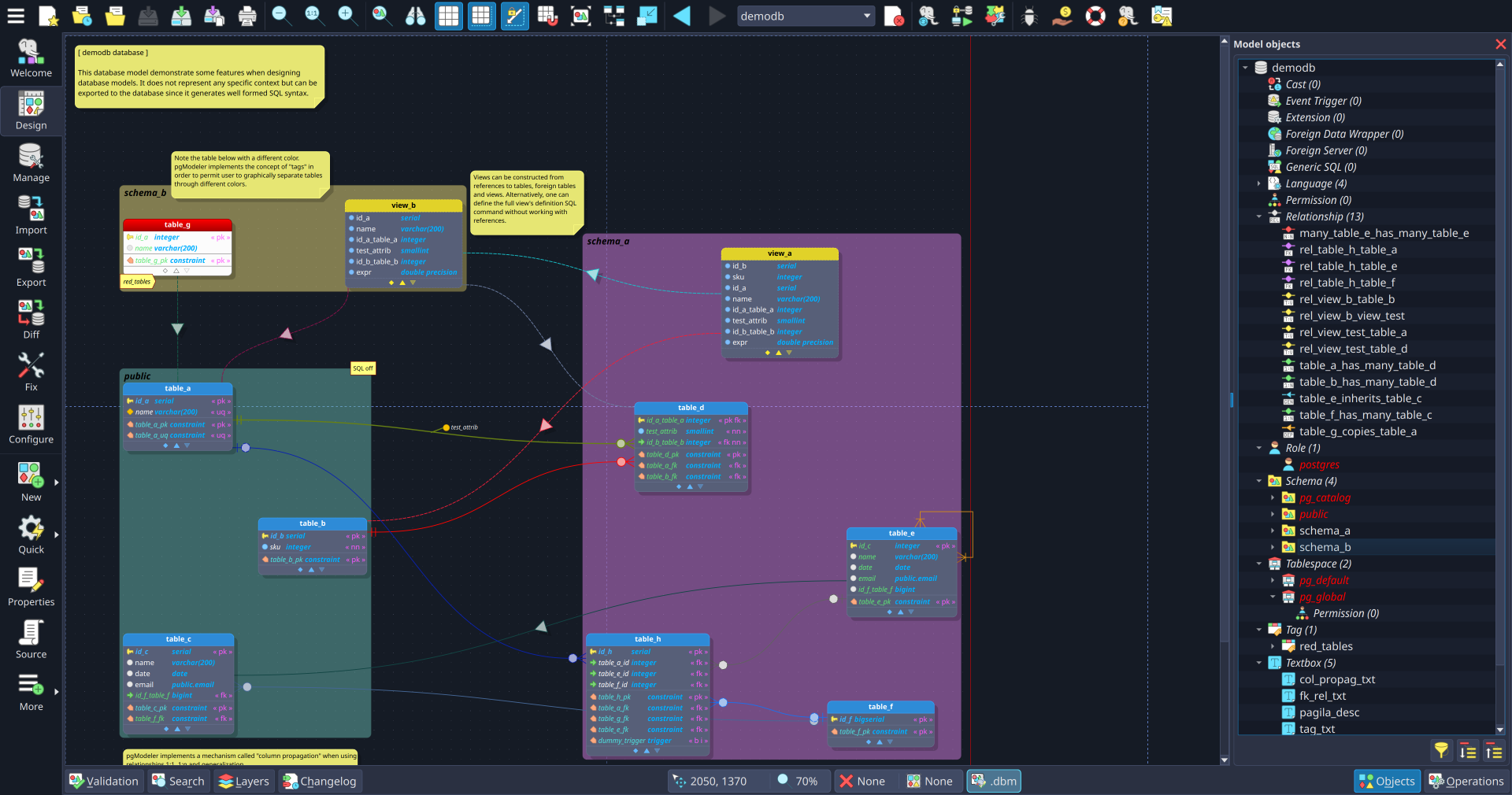
Design any PostgreSQL object visually — from simple tables to custom types, domains, operators, and procedural languages. The engine generates precise, production-grade DDL for every object.
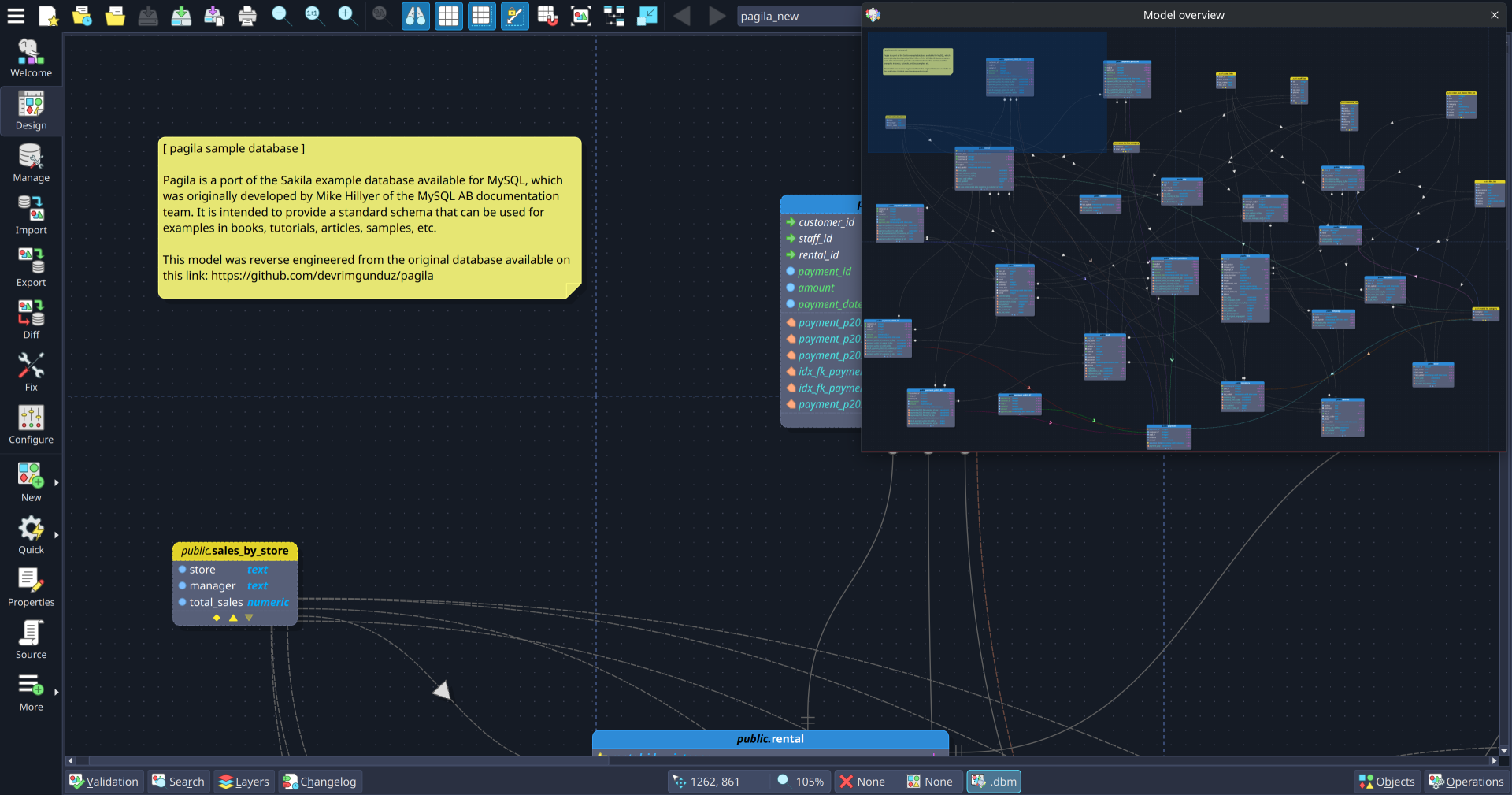
Connect to any PostgreSQL server and reconstruct a full schema model from your live database. Recover legacy designs, document production schemas, or baseline a system for ongoing lifecycle management.
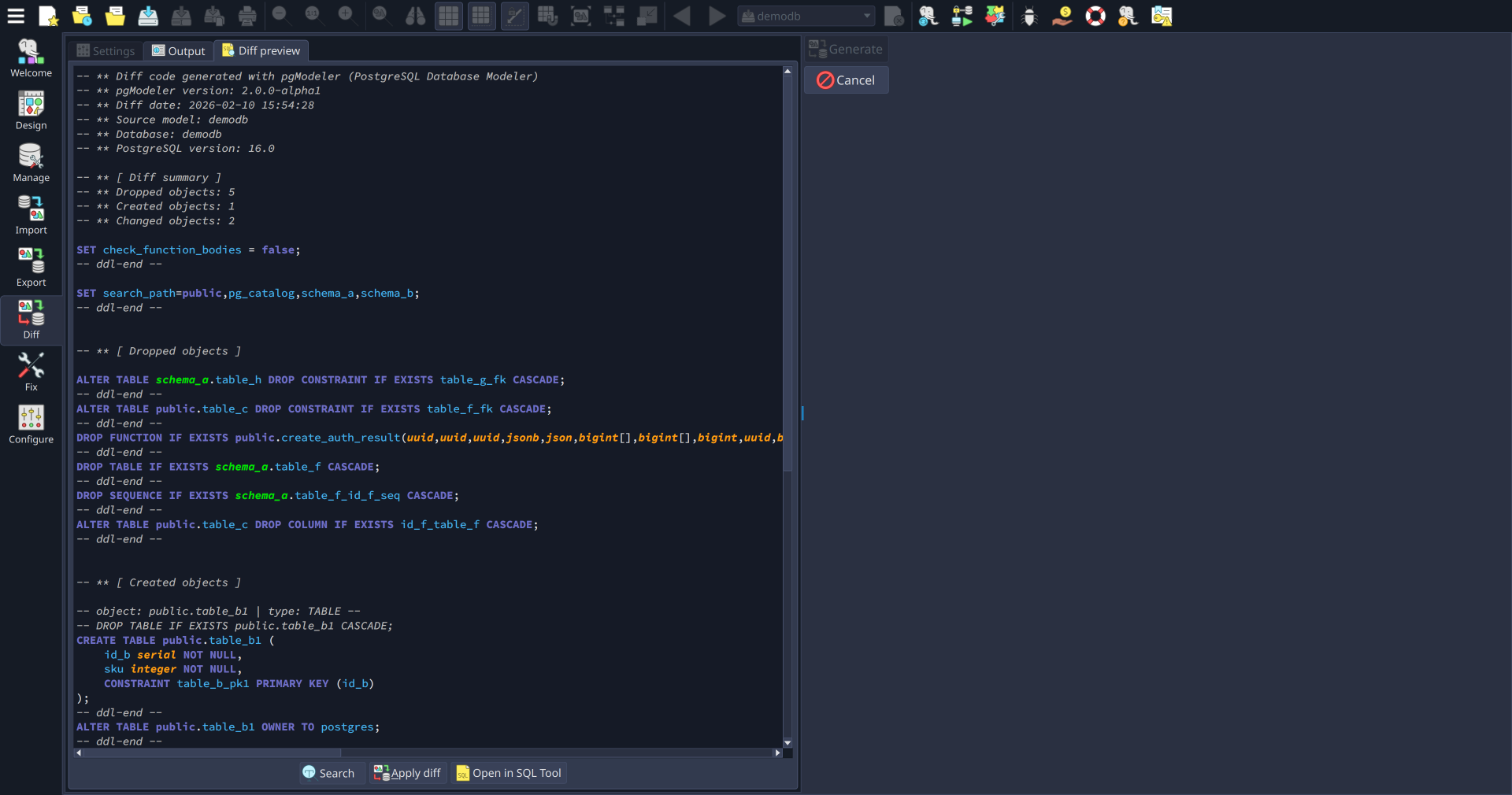
Compare your model against a live server. pgModeler generates the exact ALTER, DROP, and CREATE statements needed to synchronize the two states — no manual diffing required.
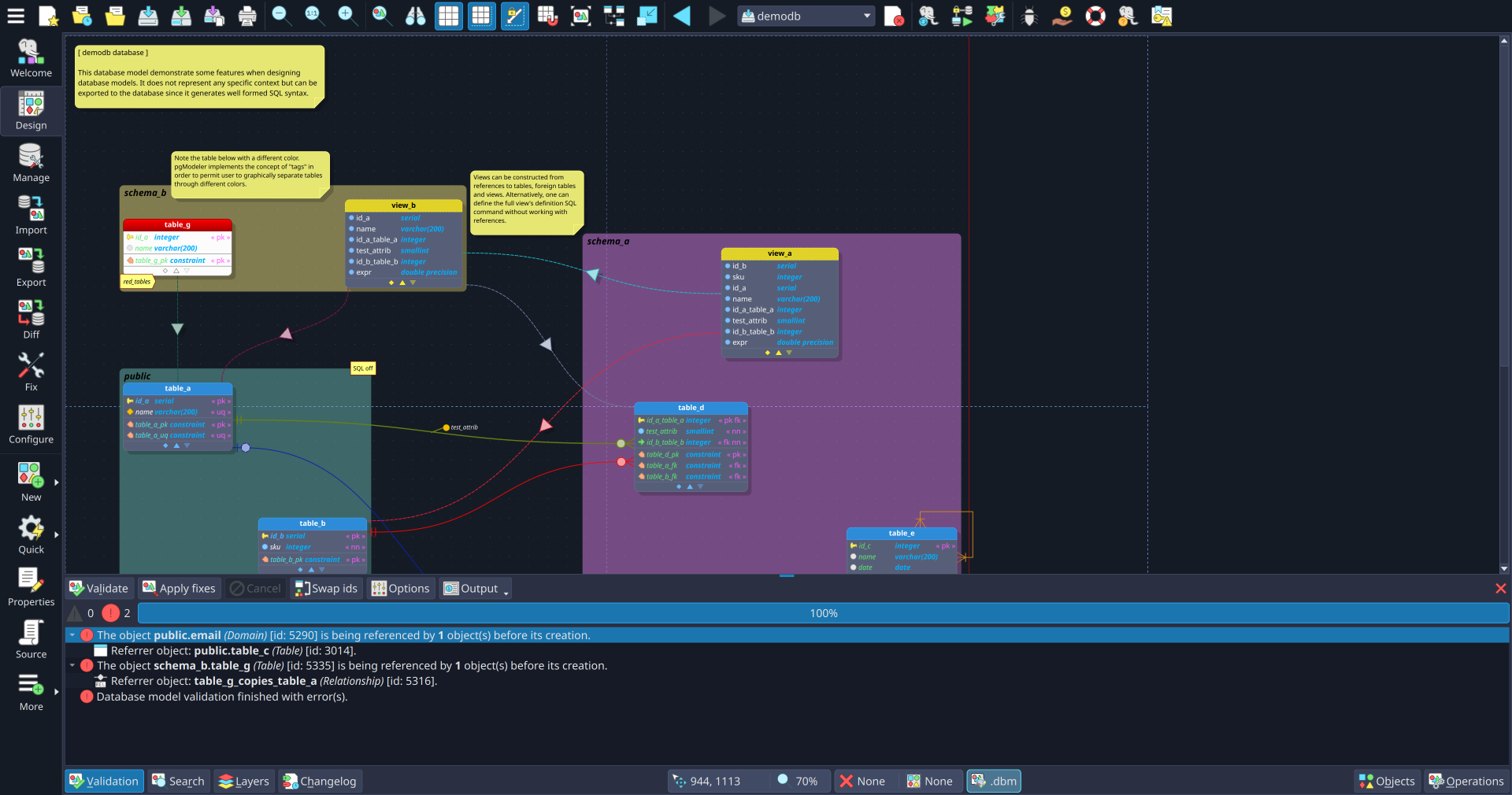
Catch broken references and rule violations at design time, before deployment. The validation engine checks cross-object dependencies and suggests automatic fixes.
Link tables and pgModeler propagates columns, constraints, and indexes automatically. The column propagation engine handles inheritance and complex relationship chains.
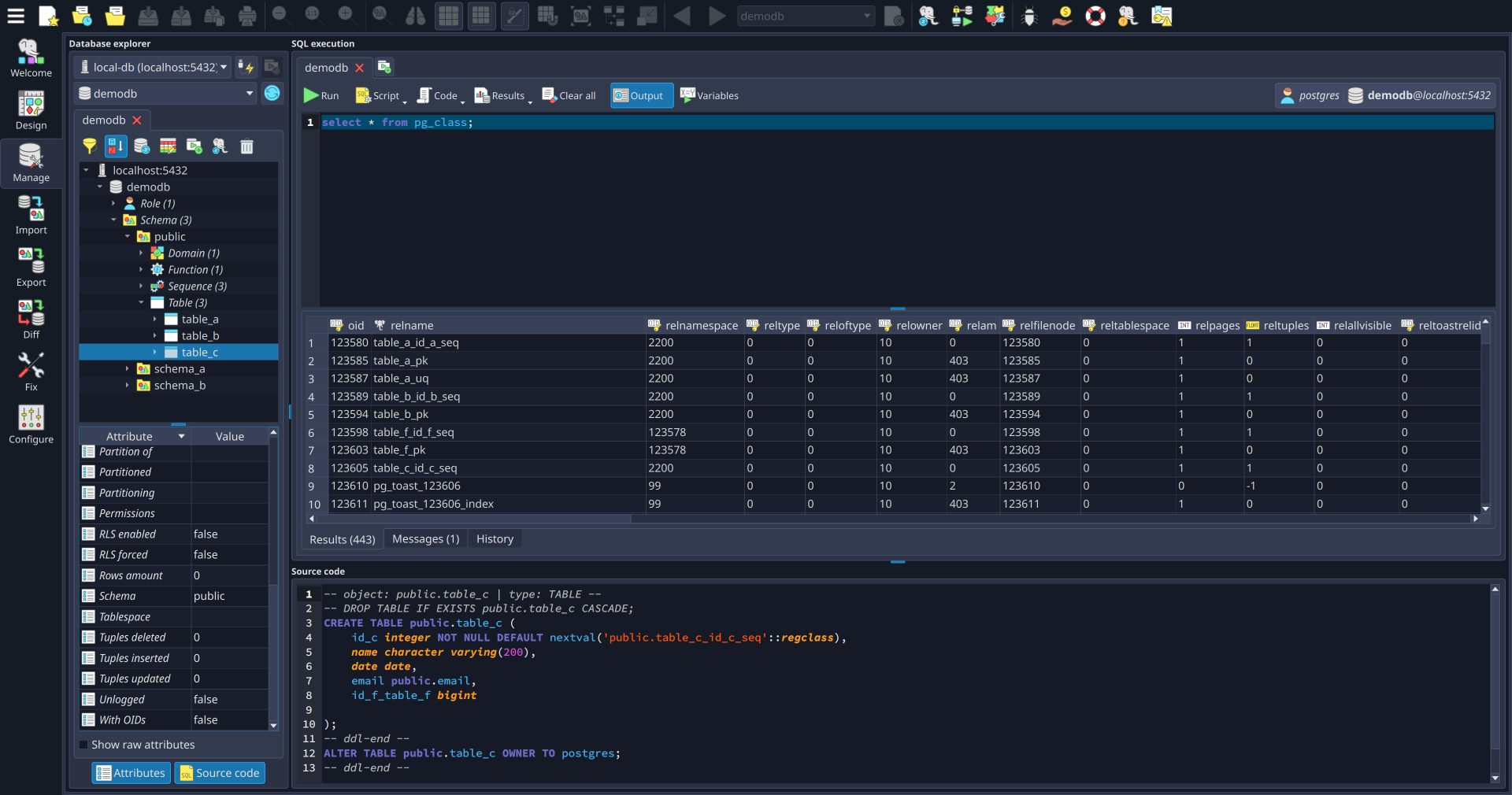
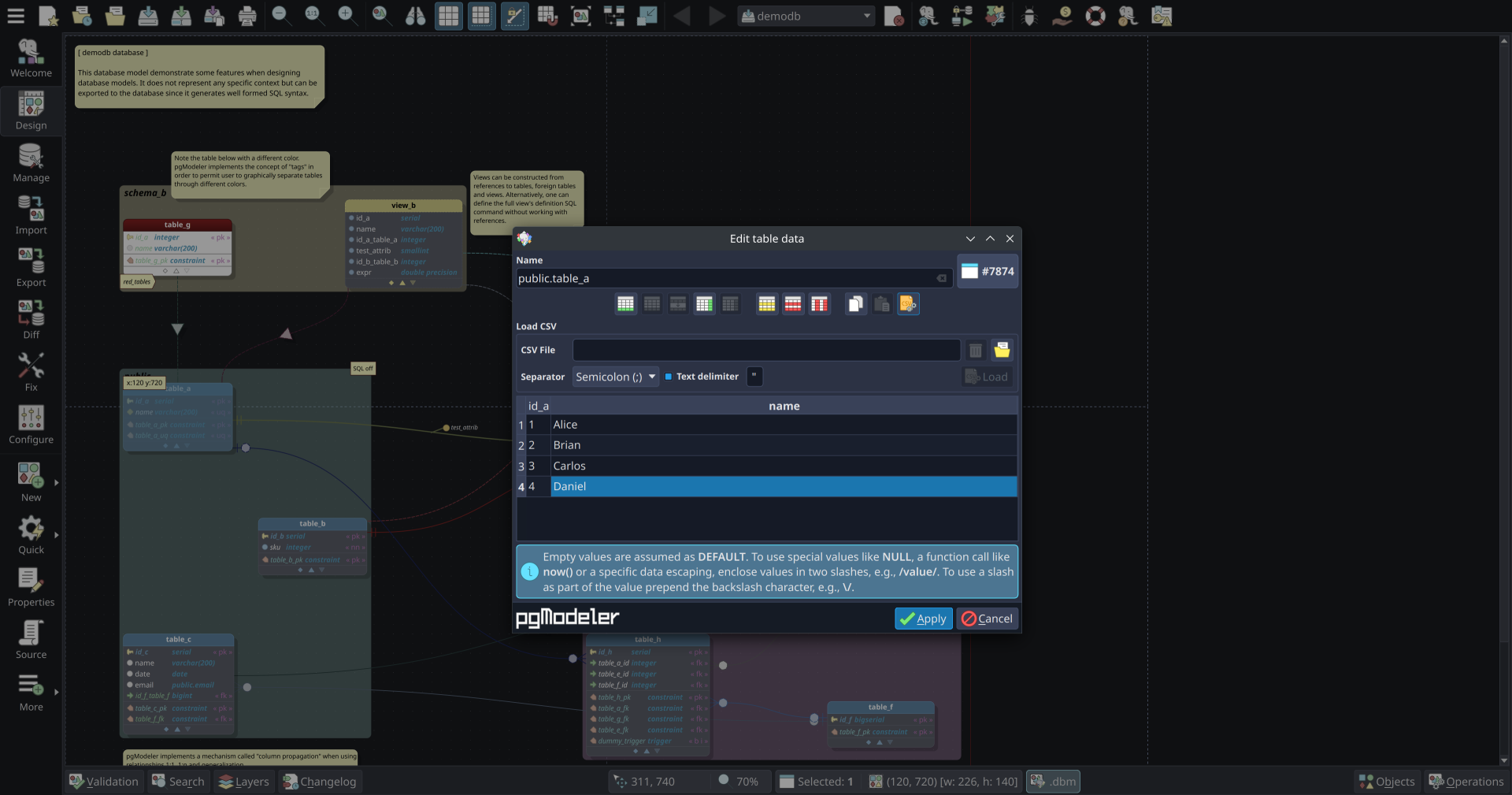
Browse schemas, execute SQL, and manage data directly in the built-in module. Your model and your live database stay in the same workspace — no tool-switching required.
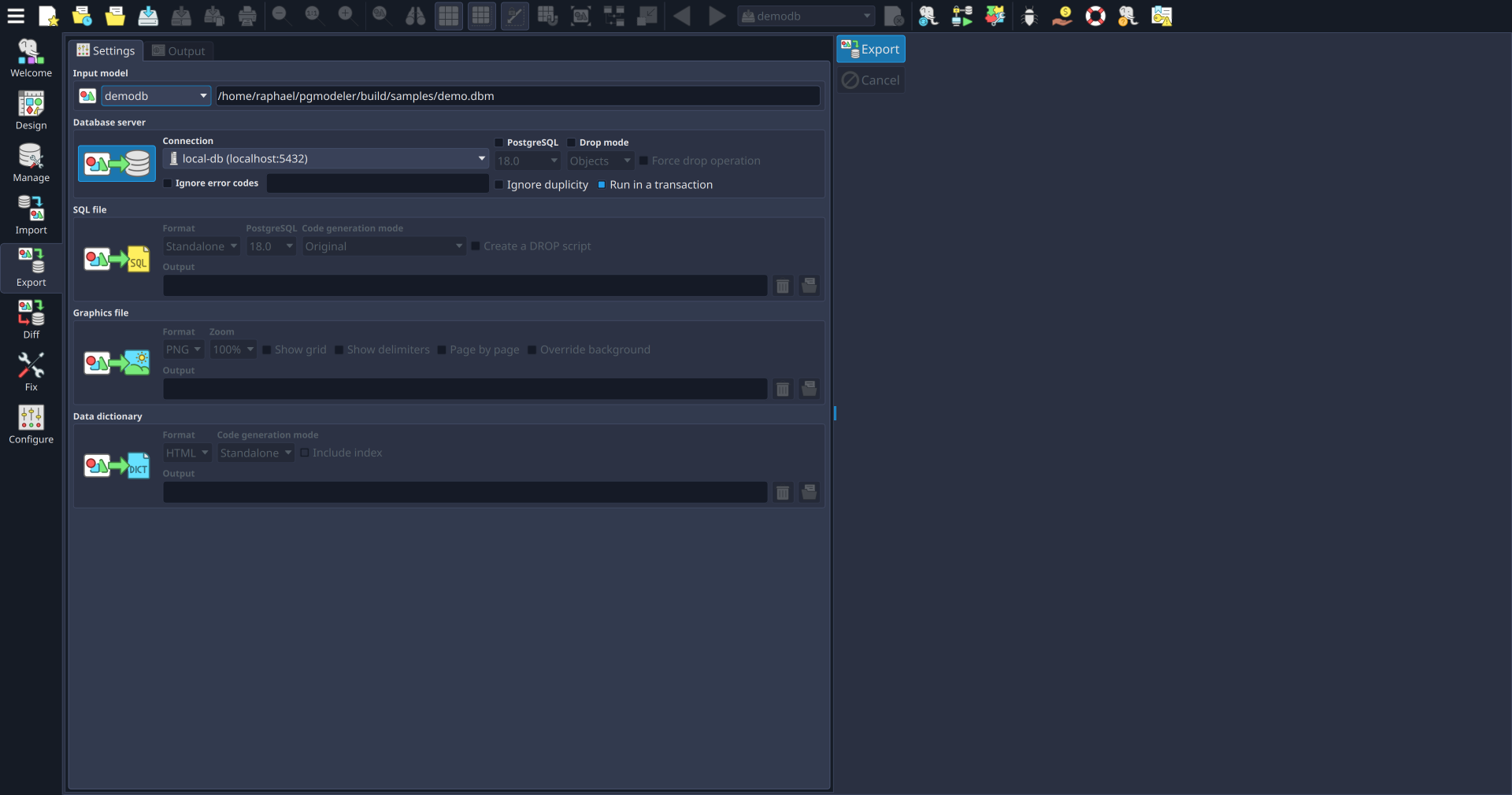
Export DDL, run diffs, and push schemas to any environment — all from the command line, no GUI required. Fits naturally into any CI/CD workflow.
Connect securely to remote PostgreSQL servers over SSH tunnels. No VPN configuration needed — just your key and the host.
Save your schema as individual XML files — one per object. Each table, view, function, and policy becomes a separate file — making branches, diffs, and code reviews work naturally with any version control system.
Powered by Git, the version control for your models is built directly into the interface, keeping the entire model lifecycle in one single place.
pgModeler runs entirely on your machine. Your schemas are never hosted on our infrastructure, so stop using pgModeler tomorrow and your work remains fully yours.
Model files are open, human-readable XML. Inspect them in any text editor, transform them with standard tooling, and store them anywhere — forever.
| Capability | pgModeler | Cross-database modeling tools |
|---|---|---|
|
PostgreSQL-native object model
Supports 30+ PostgreSQL object types including domains, custom types, operators, collations, procedural languages, event triggers, foreign data wrappers, extensions, and more. |
Yes 30+ PG object types | Partial Partial PG-specific support |
|
Relationship-driven schema propagation
Relationships automatically propagate FK columns, constraints, and indexes with PostgreSQL-aware DDL generation. |
Yes Auto FK/constraint propagation | Partial Varying DDL propagation depth |
|
Incremental model-to-database diff & sync
Compares models against live PostgreSQL databases and generates minimal ALTER/DROP/CREATE statements for controlled schema synchronization. |
Yes Generates ALTER/DROP/CREATE | Partial Basic diff/sync, limited PG fidelity |
|
Full PostgreSQL reverse engineering
Reconstructs editable PostgreSQL models including views, functions, triggers, RLS policies, inheritance, partitions, extensions, and more. |
Yes Full incl. RLS, triggers, FDW, foreign tables | Partial Tables & views focus only |
|
Row-Level Security (RLS) policy design
Create, visualize, validate, and export PostgreSQL RLS policies directly in the model. |
Yes First-class RLS support | No Rarely supported |
|
Table inheritance modeling
Native support for PostgreSQL table inheritance with correct diagram representation and DDL generation. |
Yes Native PostgreSQL inheritance | No Rarely modeled natively |
|
Functions, procedures & triggers in the model
Model PL/pgSQL functions, procedures, and triggers directly in the schema with full source export support. |
Yes PL/pgSQL in schema | Partial Limited visual integration |
|
Partitioned table support
Supports declarative PostgreSQL partitioning (RANGE, LIST, HASH) including partition definitions and child partitions. |
Yes Native PG table partitioning via relationship | Partial Partial or non-native support |
|
Design-time validation engine
Detects broken references, circular dependencies, naming conflicts, and PostgreSQL rule violations before deployment. |
Yes Pre-deploy validation | Partial Basic validation only |
|
Headless CLI for CI/CD pipelines
Run exports, diffs, validation, and deployments through command-line workflows and automation pipelines. |
Yes CLI automation ready | Partial Mostly GUI-oriented |
|
Open, human-readable model format
Models stored as plain XML files designed for Git workflows, diffs, scripting, and long-term accessibility. |
Yes Plain XML, Git-friendly | Partial Varies; may not be Git-friendly |
|
Multi-format export
Export models as SQL, PNG, SVG, HTML data dictionaries, and deployment scripts from a single source model. |
Yes SQL, PNG, SVG, HTML | Partial Varies by platform |
|
Local-first & offline-capable workflows
Fully local PostgreSQL modeling and engineering workflow with offline-capable usage and no mandatory cloud infrastructure. Commercial editions use periodic license validation without requiring cloud-hosted workflows. |
Yes Fully offline capable | Partial Partial cloud dependency |
|
Open-source core
Fully open-source under GPL with source-code access and self-compilation support. |
Yes GPL, self-compile | Partial Often proprietary |
|
Professional licensing model
Flexible licensing focused on ready-to-run binaries, perpetual ownership options, and sustainable independent development. |
Yes Perpetual and subscription models | Partial Subscription-centric |
|
Vendor lock-in risk
Open model format, local-first workflows, and no proprietary hosted backend dependency. |
Yes Low risk | Partial Lock-in level varies |
|
Long-term workflow ownership
Models remain accessible independently of hosted infrastructure or subscription continuity. |
Yes No vendor dependency | Partial Depends on vendor continuity |
|
Target workflow focus
PostgreSQL-native schema engineering, architecture design, reverse engineering, and advanced database lifecycle workflows. |
Yes PostgreSQL-specialized | Partial Generic multi-database focus |
|
Value proposition
Deep PostgreSQL specialization combined with independent, sustainable, and ownership-friendly tooling. |
Yes Deep PostgreSQL specialization | Partial Broad coverage, less PG depth |
Yes Fully supported Partial / limited / varies by tool No Rarely or not supported
| Description |
 pgModeler Plus |
 Community edition |
|---|---|---|
| Software distribution | Pre-built binaries + professional features | Source code — free forever |
|
30+ PostgreSQL object types
Design tables, views, schemas, functions, operators, custom types, domains, sequences, triggers, row-level security policies, and more — pgModeler covers the breadth of PostgreSQL's object model natively. |
Yes | Yes |
|
Relationship-driven column propagation
With the column propagation mechanism, pgModeler automatically creates all columns and constraints as the user links tables using the available relationship objects avoiding repetitive tasks and improving productivity. |
Yes | Yes |
|
Export to SQL, PNG, SVG, HTML, or live server
pgModeler can export the models to a SQL script, to a PNG image, to an SVG file, in the form of a data dictionary in HTML format, or directly to a PostgreSQL server. |
Yes | Yes |
|
Open XML format — Git and tool-friendly
Model files are stored in open, human-readable XML. You can diff them line-by-line in Git, process them with standard tooling, or inspect them in any text editor — no proprietary format, no vendor dependency. |
Yes | Yes |
|
Crash recovery and model restoration
In case of unexpected quit, the user doesn't lose all the work because pgModeler stores temporary models with the most recent changes and will restore them in the next startup. |
Yes | Yes |
|
Schema validation and automatic fixes
The validation engine checks cross-object references and constraint rules at design time, surfacing errors before deployment. Most issues can be fixed automatically. |
Yes | Yes |
|
Extensive customization options
With an extensive set of configurations, pgModeler gives the user the freedom to customize most of its features. |
Yes | Yes |
|
Command-line interface (CLI)
Export DDL, run diffs, and automate schema deployments without launching the GUI. Designed to integrate cleanly into CI/CD pipelines and scripted workflows. |
Yes | Yes |
|
PostGIS support
Geometry and geography types are recognized natively — not treated as unknown custom types. Design spatial schemas without workarounds. |
Yes | Yes |
|
Reverse engineering from live databases
Connect to any live PostgreSQL server and reconstruct a full schema model from your existing database. Useful for documenting production systems, recovering legacy designs, or baselining a schema for ongoing lifecycle management. |
Yes | No |
|
Incremental diff & sync
Compare your schema model against a live PostgreSQL server and generate the exact ALTER, DROP, and CREATE statements needed to bring them in sync — no hand-written migrations. |
Yes | No |
|
Built-in database management module
Browse schemas, run SQL commands, and manage data directly in the built-in module — no need to switch to an external client for day-to-day operations. |
Yes | No |
|
SSH tunneling for remote connections
Integrated SSH tunneling support for secure remote connections. |
Yes | No |
|
Git-friendly split-model format
Allows saving objects in separate files to improve version control management (Git). |
Yes | No |
|
Save and restore sessions
Persist your opened tabs and connections in the database management module. |
Yes | No |
|
Query variables for SQL testing
Use variables in your SQL scripts to facilitate testing and execution. |
Yes | No |
|
Database backup utilities
Integrated interface for pg_dump and pg_restore tools. |
Yes | No |
|
Quickly create objects
Shortcuts and wizards to create objects faster. |
Yes | No |
|
Quickly search and edit objects
Global search tool to find and edit objects anywhere in your model. |
Yes | No |
|
Additional features
Other notable features include an object finder for navigating large models, a plugin development interface, a translatable user interface, and much more. For a comprehensive overview of all pgModeler's features, visit the official documentation. |
Yes | Yes |
“Having a data modeling tool is essential for us. We maintain a DM with more than 500 tables in pgModeler and it does it job perfectly! We developed some enhancement for generating SQL from the DM. Here it really help that pgModeler stores the DM in a well structured easy to read XML file.”
“I would like to leave my thanks and praise to the pgModeler team. I have been using the tool to model the entire database of my projects in Supabase and the experience has been fantastic.”

“Great progress, pgModeler is the best tool for PostgreSQL, for sure. I use pgModeler as a tool to verify the database model generated by an ORM system. The database structure is automatically created based on classes in the application code, I review the resulting model to ensure it looks correct.”
“We have used pgModeler quite extensively for our database design - from creating the detailed databases, schemas and other DB objects. It was very helpful, especially for the unending iterations of our design enhancements as requested by our client. The fact it created SVG image files and data dictionaries as well, also helped immensely with the documentation.”
“We have used pgModeler in several projects and one of the things that most pleases and surprises us is the performance of the tool. Whether for small projects or models with hundreds of tables, pgModeler is practical, lightweight and very powerful. No doubt it's the best Open Source project of its kind.”

Multi-scene, orthogonal relationships, a complete Git client and a whole new look
It took more than a year, one alpha, one alpha1, one beta, and one beta1, but pgModeler 2.0.0 is finally stable. This is the biggest release the project has ever had, with more than 850 commits since 1.2.3 alone, and this post tells the whole story from 1.2.3 to today. The headline feature is multi-scene support: a model can now split its canvas into scenes, by schema or by number of objects, so databases with thousands of tables stay fast to browse and edit. Relationships can now be drawn with orthogonal lines routed around the tables, the new default. The whole application was redesigned, from the logo and icons to a new theming engine, new fonts, and completely rebuilt editing forms, and the interface can finally be translated, shipping with 34 languages including Brazilian Portuguese. Import, Diff, Export, and Fix are now views of the main window. Diff can compare two models with no database at all. The SQL tool is more capable, PostgreSQL 18 temporal keys are supported, and SQL/XML generation is 50-70% faster on real-world models. A long list of crashes and memory leaks is gone, saved connection and SSH tunnel passwords are now encrypted, and a completely revisited user manual covers everyone from first-time users to plugin developers. pgModeler now comes in two editions: Community stays free and open-source, and Plus adds import, diff, the SQL tool, data handling, the database explorer, a complete Git client built right into the app, and a redesigned SSH tunnel plugin. There are a couple of things to know before upgrading, like the new foreign key naming pattern. Grab a coffee; this one is long, and I am proud of every line of it.
pgModeler is proudly maintained by Nullptr Labs. While open source, continuous development requires significant resources.
By contributing financially, you ensure the project's long-term sustainability. If pgModeler adds value to your workflow, consider supporting its evolution. Donations are handled through GitHub Sponsors, where you choose the amount and frequency that suit you.